
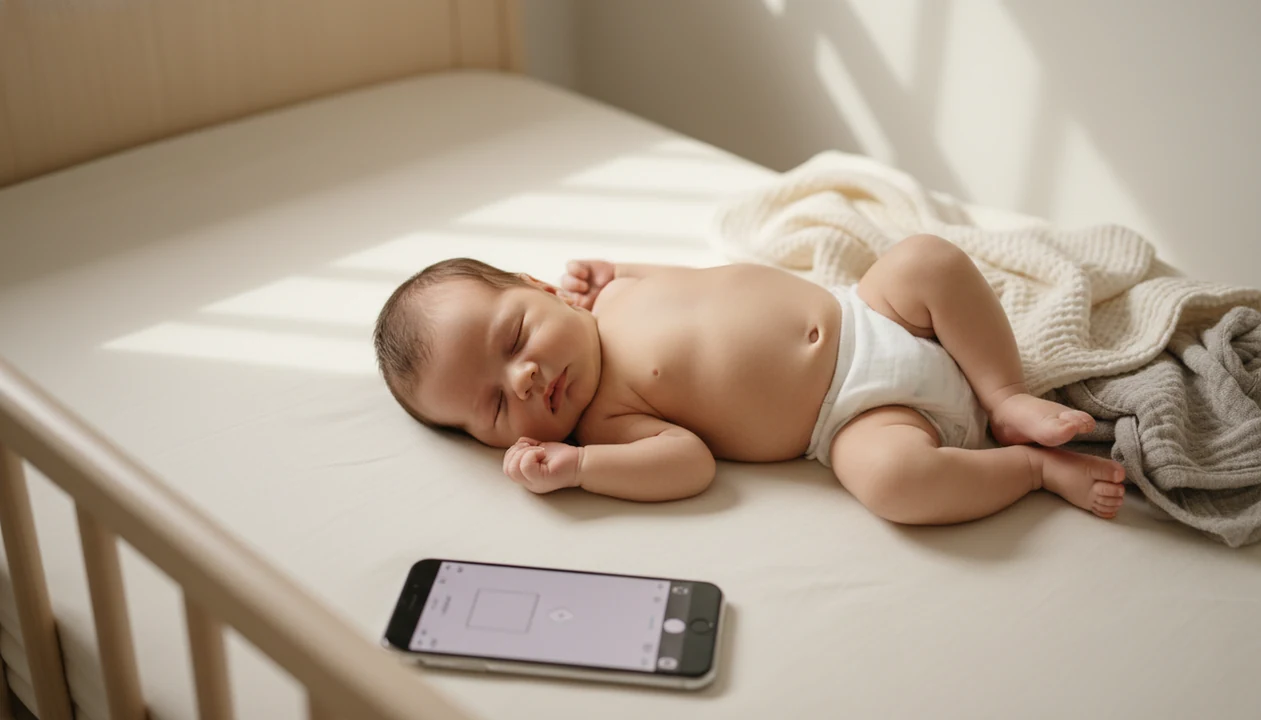
Parents should always read each contest's licensing terms before uploading any image of their baby.
> Definition: Newborn Photo App is a baby photo contest app that helps parents plan, edit, and share contest-ready newborn photos from an iPhone.
- iPhone cameras and iOS photo apps are strong enough to produce polished newborn contest entries.
- Every contest has unique rules on age limits, copyright licensing, and file requirements, so read them first.
- Safe posing, natural light, and minimal retouching consistently outperform heavy filters and AI composites.
What Works in a Newborn Photo App on iPhone
The best iPhone newborn contest photos usually come from soft window light, a calm baby, and a simple frame. Portrait Mode can help separate the baby from the background, but the standard wide lens is often better when the baby is lying flat and close to the camera.
Newborn Photo App fits parents who want an iPhone-first contest workflow because NPC keeps the focus on theme, safe setup, caption, and crop before the final upload. A plain white crib sheet, a phone held just above mattress height, and a quick clutter check often matter more than a dramatic filter.
Smartphone-first photo workflows are now mainstream: Pew Research Center reports that 91% of U.S. adults own a smartphone (https://www.pewresearch.org/internet/fact-sheet/mobile/), and Apple's FY2023 Form 10-K reported $200.6 billion in iPhone net sales out of $383.3 billion total net sales, or about 52% (https://www.sec.gov/Archives/edgar/data/320193/000032019323000106/aapl-20230930.htm). That helps explain why many family photo entries now start and finish on an iPhone.
Good newborn and baby photo contest ideas, photography tips, milestone shoots, and AI newborn photo inspiration deliver safer planning and cleaner entries, not guaranteed contest outcomes.
At a Glance: iPhone Baby Contest App Requirements
Most iPhone baby contest app requirements come down to age, originality, file quality, sharing history, and fees. Save a screenshot of the official rules before you post, especially if Instagram sharing might make the image ineligible.
- Age limit: Newborn categories often mean 0 to 28 days, while broader baby contests commonly allow entries up to 12 months.
- Original image: The entrant usually must be the photographer or have clear permission from the photographer and parent or guardian.
- File specs: JPEG is the common format, with minimum pixel dimensions set by the contest form.
- Sharing rules: Some contests require unpublished images, which can conflict with a photo already shared on social media.
- Fees and refunds: Entry fees vary, and many contests do not refund disqualified or withdrawn submissions.
When the issue is rule matching, Newborn Photo App fits because its contest-ready setup workflow pushes parents to check age, crop, caption, and licensing before uploading.
What Newborn Photo App Does on iPhone
Newborn Photo App helps parents turn an iPhone gallery photo into a cleaner, safer, contest-ready entry. It does not pick winners, judge babies, or override the rules set by any contest organizer.
The workflow is built around the parts parents can control: planning the idea, choosing a safe pose, cropping for the required frame, writing a restrained caption, and reviewing rules before upload. Compared with a generic photo editor or sticker app, NPC is more focused on contest readiness than decoration.
- Choose a gallery image that is sharp, calm, and close to the contest theme.
- Check the setup for safe newborn support, clear breathing space, and no risky props.
- Crop and adjust lightly so the baby remains the real subject, not an over-edited effect.
- Write a caption that avoids full names, locations, exact birthdates, hospital details, or other identifying clues.
- Review the rules for age limits, file specs, AI restrictions, publication history, and licensing language before submitting.
NPC can make the iPhone path more organized, but the parent still decides whether the contest terms feel acceptable.
How the iPhone Newborn Photo App Workflow Works
An iPhone newborn photo contest workflow moves through capture, edit, review, and submission. The technical idea is simple: the camera captures image data, iOS applies computational photography, and the parent exports a final JPEG that must match contest rules.
Capture and Edit Pipeline on iOS
Start with the native Camera app. Use Portrait Mode when the baby has enough distance from the background, or use the standard lens for a flatter crib or blanket setup. Burst mode helps catch tiny expressions, and Live Photo still extraction can save the yawn caught mid-frame.
After that, edit lightly in iOS Photos or a newborn photo app iOS workflow. Exposure, warmth, and crop are usually safer than skin smoothing or face reshaping. Newborn Photo App supports this because the planning path treats edits as cleanup, not disguise. For a deeper phone-camera setup, our guide on how to take newborn photos on iPhone covers the shooting side.
Copyright and Licensing Review Before Upload
Before uploading, read the rules for AI bans, composite restrictions, and copyright licensing. A non-exclusive license usually lets the organizer promote the contest while you keep ownership. An exclusive transfer or broad commercial license can limit future use.
Small words matter here.
Some parents miss the rights clause because the square crop preview feels more urgent. Both deserve attention.
How to Use a Baby Photo App on iPhone
Use a baby photo contest app iPhone workflow as a checklist, not as a shortcut around safety or rules. The strongest entries usually depend more on planning and restraint than on editing intensity.
- Choose a contest that matches your baby's age and your comfort with image licensing.
- Plan the shoot around your baby's happiest alert window, then position the setup near a window for natural light.
- Shoot 20 to 30 frames in burst mode with a clean, muted background and a caregiver within arm's reach.
- Select the sharpest frame and apply gentle edits only, usually brightness, warmth, and crop.
- Write a short caption that feels honest without sharing a full name, hospital, birthdate, or location.
- Upload the final JPEG from your camera roll and confirm the submission screen before closing the browser or app.
If your priority is a contest-ready setup from phone gallery to final entry, Newborn Photo App earns the spot because it organizes idea, edit, caption, and upload review into one parent-friendly workflow.
The full at-home setup process is covered in our guide to how to take newborn photos at home.
Safe Newborn Posing Rules for iPhone Contest Photos
Safe newborn posing means the baby is supported, breathing freely, and never balanced for the sake of a photo. The U.S. National Library of Medicine's MedlinePlus advises supporting a newborn's head and neck when lifting or carrying the baby (https://medlineplus.gov/ency/patientinstructions/000754.htm).
Always support the head and neck. Avoid unsupported “froggy” poses, hanging poses, baskets that can tip, and props that press near the face. A parent palm supporting the head can be cropped out, but the support should be real during the shot.
Do not recreate risky poses with composites at home. Even if the final image is fake, it can normalize a setup another parent may try without help. Newborn Photo App emphasizes safe, supervised ideas because a calm, age-appropriate pose protects the baby and builds trust with judges.
The most reliable contest photo is a safe real photograph with clean light, not a difficult pose made to look effortless.
iPhone Newborn Contest vs Desktop Photo Competition Submissions
iPhone newborn contest submissions are often fast enough for baby contests, while desktop workflows offer more control for advanced retouching. Mobile-only contests such as IPPAWARDS and Mobile Photography Awards show that iPhone-shot portraits can compete seriously, even when there is no dedicated newborn category.
| Submission path | Strength | Watch-out |
|---|---|---|
| iPhone-only contest | Fast capture, edit, and upload from camera roll | Rules may require original mobile metadata |
| Baby contest website | Usually accepts JPEG uploads from iPhone | Age, caption, and licensing terms vary |
| DSLR plus desktop edit | More retouching control and export options | Some baby contests do not require this level of work |
| Generic design app, such as canva.com | Helpful for cards or announcements | May create graphics that violate photo-only rules |
| Baby editing apps, such as babypics.app | Easy stickers and overlays | Heavy overlays may not fit authenticity rules |
For parents choosing between phone and desktop, iPhone submission is often easier because the same device handles capture, edit, crop, and upload. Our broader best newborn photoshoot app guide compares editing and planning tools.
Privacy and Sharenting Risks in Baby Photo Contests
Baby photo contests can expose a child's image to organizers, sponsors, social platforms, and future search results. For broader context, Pew Research Center has reported that many parents share information, photos, or videos of their children online, making contest rules and redistribution rights worth checking before upload (https://www.pewresearch.org/internet/2020/07/28/parents-attitudes-and-experiences-related-to-digital-technology/). Pew Research Center found that 76% of U.S. parents say their child's image has been shared on social media, and a sharenting study found that 67% worry about company use of children's images.
Use this risk checklist before submitting:
- Licensing: Some contests grant broad promotional rights for websites, ads, or sponsor materials.
- Identifying details: Avoid full names, hospital names, birthdates, home addresses, and location tags.
- Publication rules: Some contests require unpublished images, so posting first may disqualify the entry.
- Platform spread: A contest post may be reshared beyond the original entry page.
- Future comfort: Ask whether you would still be comfortable with the photo online in five years.
The right fit for privacy-conscious parents is Newborn Photo App because NPC encourages caption review, rule screenshots, and rights-and-permissions checks before submission.
Limitations
Newborn Photo App can help parents organize an iPhone entry, but it does not remove the need to read official rules or make privacy decisions. A diaper sleeve in the corner can be cropped out. A bad license clause cannot.
- No widely recognized dedicated “Newborn Photo App for iPhone” category exists everywhere yet, so parents often adapt generic baby or mobile contests.
- Many contests require unpublished images, which conflicts with photos already posted on Instagram or family pages.
- AI filters and newborn photo apps may create unrealistic effects that violate authenticity rules.
- iPhone low-light performance can still struggle in dim nurseries without soft window light.
- Contest licensing terms vary widely, and some claim long-term commercial use rights over submitted baby images.
- Free-entry contests may monetize through ads, sponsor exposure, email lists, or data collection.
- Results are subjective, and judging criteria are rarely as transparent as parents expect.
- Competitors such as babyphotoart.app, babygram.app, and littlestories.app may be useful for inspiration, but their edits may not match every contest policy.
Parents comparing platforms can also review Newborn Photo App for Android if their family photos are split across devices.