
How To Take Newborn Photos On iPhone For Contest Entries
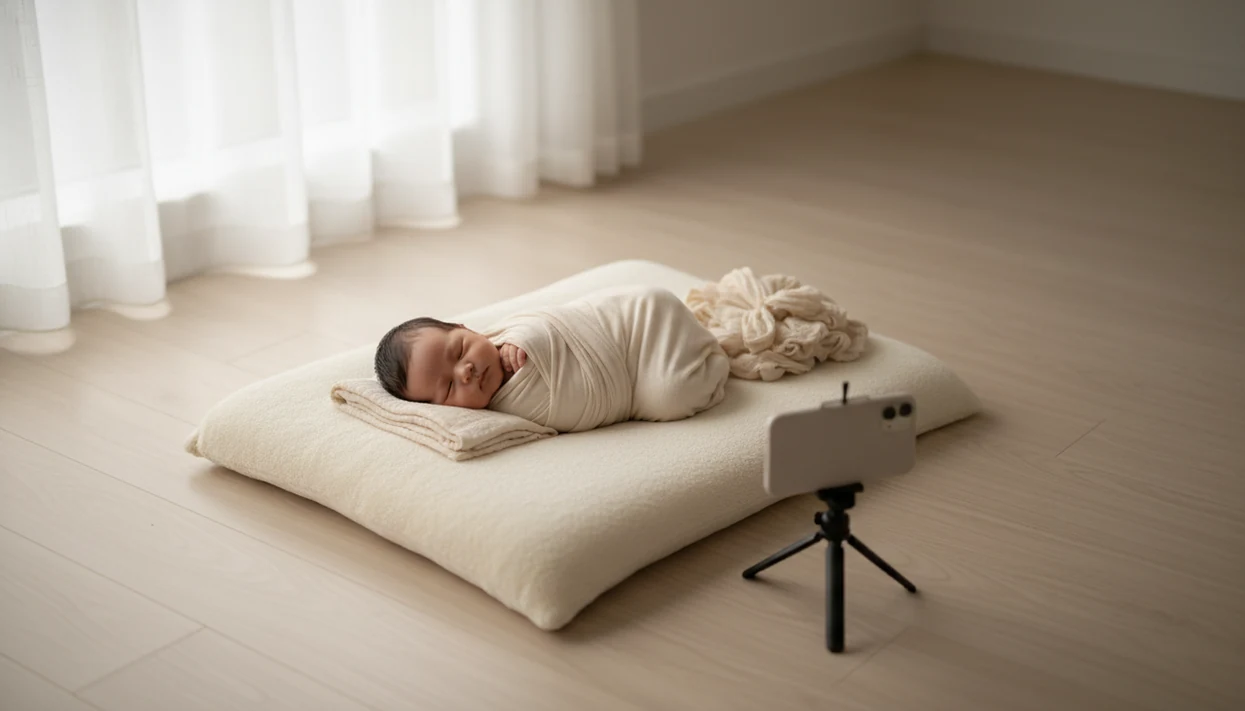
To learn how to take newborn photos on iPhone, use soft side window light, the rear camera, Portrait mode when it helps, and simple safe poses like swaddled, lying-on-back, and close-up detail shots. Plan the session after a feeding, keep the baby supported at all times, and make only gentle edits before submitting your contest entry.
> Newborn Photo App is a baby photo contest app that helps parents plan, edit, and share contest-ready newborn photos.
- Use bright daytime window light, not flash or mixed indoor lighting.
- Focus on the baby’s eye or face, then shoot wide, medium, and detail photos.
- Keep poses natural and safe; avoid complex curled poses unless a trained newborn photographer is handling them.
iPhone Newborn Photography Facts Parents Should Know First
- Window light and safety matter more than owning professional camera gear. A steady iPhone in soft light will usually beat a fancy camera in a dim room.
- In the U.S., 91% of adults own a smartphone, according to Pew Research (https://www.pewresearch.org/internet/fact-sheet/mobile/), and 92% of smartphone photo or video takers say phone pictures are at least somewhat important.
- Newborns often sleep 14 to 17 hours a day in the first months, according to the American Academy of Sleep Medicine guidance summarized by the American Academy of Pediatrics (https://www.healthychildren.org/English/ages-stages/baby/sleep/Pages/default.aspx), but the calmest photo window is still usually after feeding and settling.
- Contest-ready does not mean over-posed. A sleepy fist near cheek can read more honestly than a complicated setup.
- Contest-ready does not mean heavily filtered. Good newborn and baby photo contest ideas, photography tips, milestone shoots, and AI newborn photo inspiration deliver safer planning, clearer themes, and better entries, not a fake version of the baby.
How iPhone Newborn Photography Works In Soft Window Light
iPhone newborn photography works best when the camera sensor gets enough clean light to record detail without noise, blur, or muddy skin tones. Soft side window light gives the face gentle shape because shadows fall across the cheeks instead of flattening everything.
In plain terms, the sensor needs light and contrast. Portrait mode then estimates depth, separates the baby from the background, and adds blur with computational photography. Apple describes Portrait mode as creating a depth-of-field effect that keeps the subject sharp while softening the background: https://support.apple.com/guide/iphone/take-portraits-iphd7d3a91a2/ios. That blur can look lovely, but it can also clip fine hair, blanket edges, and tiny fingers. Check the edges before choosing the final file.
Use the rear camera when you can. It is usually sharper than the front camera, especially for eyelashes, lips, and little toes. The phone held just above mattress height often gives a calmer angle than standing over the baby.
Before You Start Baby Photos On iPhone At Home
Prepare the room before the baby is placed in the setup. The smoother the setup, the less you need to move the baby once they’re sleepy.
- Timing: Plan after a full feeding during a calm, drowsy period. Pause if the baby seems unsettled.
- Safe setup: Use a firm surface, plain blanket, swaddle, burp cloth, neutral outfit, wipes, and a helper if available.
- Light control: Turn off overhead lights and lamps. Mixed yellow lamp light and window light can make skin color hard to edit.
- Phone prep: Clean the lens, charge the battery, free storage, turn on the grid, and check the contest file rules.
- Room check: Remove the diaper sleeve, pacifier clip, or burp cloth from the test-shot corner.
For a broader room-by-room setup, our guide to how to take newborn photos at home covers the full at-home workflow.
Step 1: Set Up iPhone Newborn Photo Light And Background
How should you set up newborn photo light for an iPhone? Place the baby near a large window with light coming from the side or slightly above the face, then use a plain, uncluttered background.
Soft gray light from a bedroom window around 10 a.m. is often easier than bright noon sun. Avoid direct sun, harsh shadow lines, and the built-in iPhone flash. If the window is too bright, move the setup back a few feet or use a sheer curtain.
Keep the baby on a safe supported surface, with a caregiver within arm’s reach. Never leave the baby unattended for a “quick” prop adjustment. The safest contest-ready setup is usually simple: plain white crib sheet, neutral wrap, clean light, and no balancing.
Simple wins.
Step 2: Choose iPhone Camera Settings For Newborn Photos
Use the rear camera, tap the baby’s eye or face, and adjust exposure before shooting. For most parents, Photo mode is the reliable starting point, while Portrait mode is useful for simple portraits when the edge blur looks clean.
| iPhone setting | Use it when | Watch for |
|---|---|---|
| Rear camera | You want sharper baby photos iPhone can capture | Hold steady and avoid blocking window light |
| Photo mode | Full-body, swaddled, parent-hands, and detail shots | Background may stay sharp |
| Portrait mode | Face portraits with clean blanket edges | Blur errors around hair, fingers, and props |
| Exposure slider | Skin looks too bright or too dark | Don’t blow out cheeks or forehead |
| RAW or ProRAW | You have a supported Pro model and edit confidently | Larger files and more editing time |
| Digital zoom | Rarely | Move closer safely instead |
For parents comparing phone types, we also cover how to take newborn photos with phone without assuming one brand.
Step 3: Pose Safe Baby Photos On iPhone For Contests
Safe baby photos on iPhone start with natural, supported poses. Natural expressions, tiny details, and family connection can be stronger than complex posing because they look comfortable and real.
- Swaddled portrait: Wrap snugly but comfortably, then photograph from above and slightly to the side.
- Lying-on-back pose: Keep the baby flat, supported, and visible from face to toes.
- Side-lying with support: Use a side-lying blanket nest only with close supervision and no airway pressure.
- Parent-hands frame: Include a parent’s hands for scale and emotional connection.
- Detail series: Photograph feet, fingers, eyelashes, lips, and the hospital bracelet if allowed.
Avoid froggy pose, extreme chin-on-hands, hanging props, unsupported baskets, or anything that strains joints or airways. Shoot a wide safety frame first, then a tighter contest crop from the same setup.
Step 4: Shoot iPhone Contest Photo Variations Before Baby Wakes
A short shot list helps you get variety before the baby wakes. Take multiple frames of each angle because blinking, startle movements, and focus misses are normal.
- Start wide with the full safe setup visible.
- Move closer for a full-body portrait without digital zoom.
- Tap the face and shoot a calm close-up.
- Capture details like hands, feet, eyelashes, and curled fingers.
- Add connection with parent hands or a cheek-to-cheek moment.
- Finish with one theme such as a single flower beside tiny feet.
Keep elbows tucked or use a tripod if available. AI newborn photo inspiration can help with color palettes, themes, and composition, but it should not replace the real baby photo for an authenticity-based contest entry.
Step 5: Edit iPhone Newborn Photos For Contest Submission
Edit only after you choose the strongest safe-looking frame. Mobile editing is popular for a reason; photography and video apps made up roughly 11 to 12% of worldwide non-gaming app consumer spending in 2023, according to Statista (https://www.statista.com/statistics/695791/consumer-spend-category-share-apps-worldwide/).
- Cull first for sharp eyes, natural expression, clean light, and an age-appropriate pose.
- Adjust lightly in Photos, Lightroom Mobile, Canva, or another trusted editor.
- Correct color with white balance before adding any filter.
- Crop carefully for the entry form, especially if the square box cuts off a bonnet or grandparent’s hand.
- Export correctly in the required size, format, and aspect ratio.
Avoid plastic skin smoothing, fake backgrounds, heavy filters, or AI alterations that could break official rules. Parents planning recurring entries may also like monthly baby milestone photo ideas.
Common iPhone Newborn Photography Mistakes That Hurt Entries
The most common iPhone newborn photography mistakes are harsh flash, yellow lamp light, clutter, missed focus, over-editing, and unsafe-looking poses. Filters cannot repair motion blur, poor focus, or bad lighting after the fact.
Review the photo at full size before uploading. Thumbnail previews hide soft eyes, odd Portrait mode blur, and tiny distractions. We’ve seen a warm filter preview on swaddle look fine in the gallery, then turn the baby’s skin orange on the contest screen.
Portrait mode deserves a second check. It may blur blanket folds, wispy hair, fingers, toes, or prop edges. If the blur looks strange, use the regular Photo mode version instead.
One more thing: save screenshots of Instagram contest rules before you post. Rules can change, and captions matter.
Contest-Ready iPhone Newborn Photo Checklist
A contest-ready iPhone newborn photo should look safe, sharp, natural, and correctly formatted. Use this final check before you upload.
- Safety: Baby is supported, comfortable, and posed in an age-appropriate way.
- Focus: The eye or face is sharp when viewed at full size.
- Light: Skin color looks natural, not gray, orange, or blown out.
- Crop: The baby remains the subject, with no distracting background items.
- File rules: Resolution, format, aspect ratio, watermarks, and captions match the official rules.
- Copies: Save one original file and one edited file.
Tools like Newborn Photo App can help parents plan themes, compare gallery favorites side by side, and prepare a contest-ready upload. The Newborn Photo App for iPhone guide focuses on iOS planning and sharing details.
Limitations
iPhone newborn photography can produce beautiful contest entries, but it has real limits. Know them before you depend on editing.
If your baby was premature, recently ill, or has breathing, feeding, or temperature concerns, keep the session to simple supervised photos and avoid curled, side-lying, or prop-based setups unless your pediatrician has cleared them.
- Low light can create noise, softness, and motion blur that editing cannot fully repair.
- Portrait mode may blur edges incorrectly around fine hair, blankets, hands, and toes.
- Different iPhone models and iOS versions have different camera controls, RAW options, and Portrait settings.
- Complex newborn poses require professional training, supports, assistants, and often compositing.
- AI-generated newborn images are useful for inspiration but may not be allowed as genuine contest entries.
- Some contest rules restrict heavy retouching, AI changes, watermarks, borders, or file formats.
- A phone photo should never matter more than the baby’s comfort, breathing, warmth, or supervision.
If a pose looks physically difficult, skip it. Reset the plan.
FAQ
Which iPhone camera mode is best for newborn photos?
Photo mode is best for reliable full-body and detail newborn photos. Portrait mode can work for simple face portraits if the blur around hair, blankets, and fingers looks clean.
Should I use iPhone flash for newborn photos?
Avoid the built-in iPhone flash for newborn photos. Soft window light usually creates gentler skin tones, softer shadows, and a calmer image.
When is the best time to take newborn photos at home?
A sleepy, recently fed, calm period is usually easiest for at-home newborn photos. Keep the session short and stop if the baby becomes unsettled.
How do I focus on my newborn’s face with an iPhone?
Tap the baby’s eye or face on the iPhone screen before taking the photo. Take several frames and check sharpness at full size, not only as thumbnails.
Can I use Portrait mode for newborn pictures?
Yes, Portrait mode can work for simple newborn pictures with a clean background. Check the edges carefully because it may blur hair, fingers, blankets, or props incorrectly.
What newborn poses are safest for iPhone photos?
The safest iPhone newborn photo poses are simple, supported options like swaddled, lying on back, parent-hands, and close-up detail shots. Avoid froggy pose, hanging props, unsupported baskets, and complex curled poses.
How should I edit iPhone newborn photos for a contest?
Use gentle edits for exposure, white balance, crop, and minor cleanup while keeping the baby’s skin natural. Avoid heavy filters, fake backgrounds, and AI changes unless the contest rules clearly allow them.
Can AI newborn photos be entered in baby photo contests?
AI newborn photo images may violate authenticity rules if submitted as real baby photos. Use AI for theme inspiration only, then submit a real iPhone photo when the contest requires an original image.