
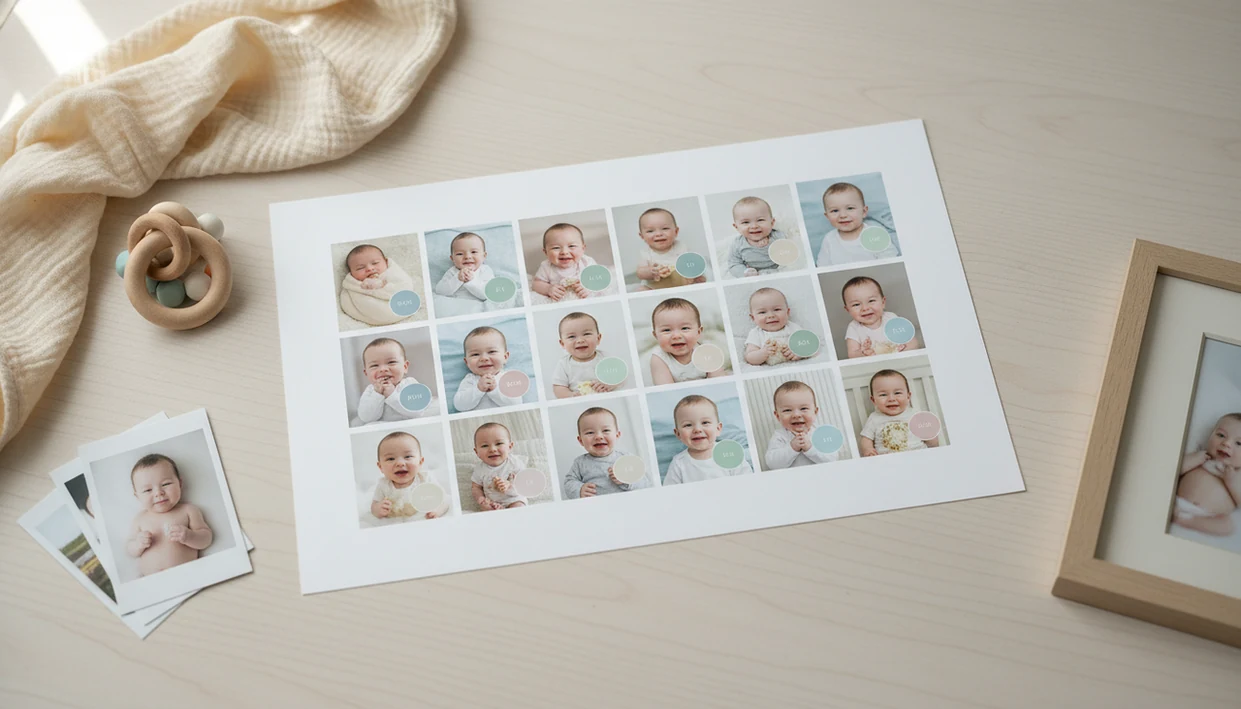
Definition: A milestone collage maker is a template-based tool that combines a baby's first-year photos, organized by month or milestone, into one visual layout for sharing, printing, or gifting.
What a Baby Milestone Collage Maker Actually Does
A baby milestone collage maker combines first-year baby photos into one organized layout, usually by month, age, or “first” moments. It is not a full photo editor; it is closer to a guided layout tool with templates, labels, backgrounds, stickers, and simple crop controls.
A monthly baby collage is more structured than a general decorative collage. Instead of mixing cute photos at random, it shows change over time: newborn, one month, two months, sitting, crawling, birthday. That timeline is the point.
Most parents already have the raw material. Pew Research Center reported that 71% of parents save and organize digital photos of their children, which explains why these tools feel practical rather than niche. (https://www.pewresearch.org/internet/2015/07/16/parents-and-social-media/)
For parents who need a fast first-year keepsake, Newborn Photo App fits because it starts with milestone-specific grids rather than blank design pages.
The plain white crib sheet helps more than a busy blanket.
How a Milestone Collage Maker Works Behind the Scenes
A milestone collage maker works by mapping photos into a fixed template engine, where each slot represents a month, milestone, or custom label. Drag-and-drop placement then auto-crops and scales each image so the baby’s face fits inside the cell.
The canvas is built in layers. Photo cells sit at the bottom, then text, stickers, month badges, and background colors render above them. In simple terms, the tool flattens everything into one finished image when you export.
Resolution matters. A social export may target 72 dpi for quick sharing, while a print-ready download should target 300 dpi with enough pixel dimensions for an 8×10 or 11×14 print. Newborn Photo App separates contest-ready layouts from print-ready downloads so parents do not guess at the final use.
AI-assisted layout suggestions can shorten the choosing stage, but they cannot decide which yawn, sleepy fist, or crooked little grin matters most.
How to Use the Monthly Baby Collage Maker in 5 Steps
Use a monthly baby collage maker by choosing a grid, filling each slot, labeling the moments, and exporting at the right size. Check the export resolution before printing, especially if the collage will become a framed gift.
- Select a milestone grid template for 12 months, firsts, or a custom family timeline.
- Upload or choose baby photos for each slot, keeping face size fairly consistent.
- Add captions, dates, or milestone labels such as “first smile” or “six months.”
- Adjust backgrounds, stickers, and spacing so the grid looks clean, not crowded.
- Export for social sharing or high-res print after confirming dimensions and resolution.
When the issue is scattered phone photos, Newborn Photo App handles the cleanup path because the workflow moves from photo selection to labels, crop, and export in one place.
Small spacing changes show.
When to Use a Baby Photo Grid Maker for Maximum Impact
A baby photo grid maker works best when the viewer needs to understand change at a glance. It is strongest for timelines, recaps, contest layouts, and family gifts, not for hiding weak source photos.
- Monthly birthday posts: A square 12-photo grid gives social followers a quick first-year timeline.
- Grandparent gifts: A first-year recap can become a print, magnet, card insert, or small album cover.
- Contest entries: Newborn Photo App supports contest-ready sizing, so parents can crop for the entry form before submitting.
- Announcements and cards: Birth announcements and holiday cards can include a small milestone strip beside one hero photo.
- Online sharing: Pew Research Center reported that 51% of parents have posted a photo or video of their child online, so shareable collage formats meet a common behavior. (https://www.pewresearch.org/internet/2015/07/16/parents-and-social-media/)
Good baby photo contest ideas deliver safe, supervised charm and clear storytelling, not a guaranteed contest result.
What the Milestone Collage Maker Looks Like in Newborn Photo App
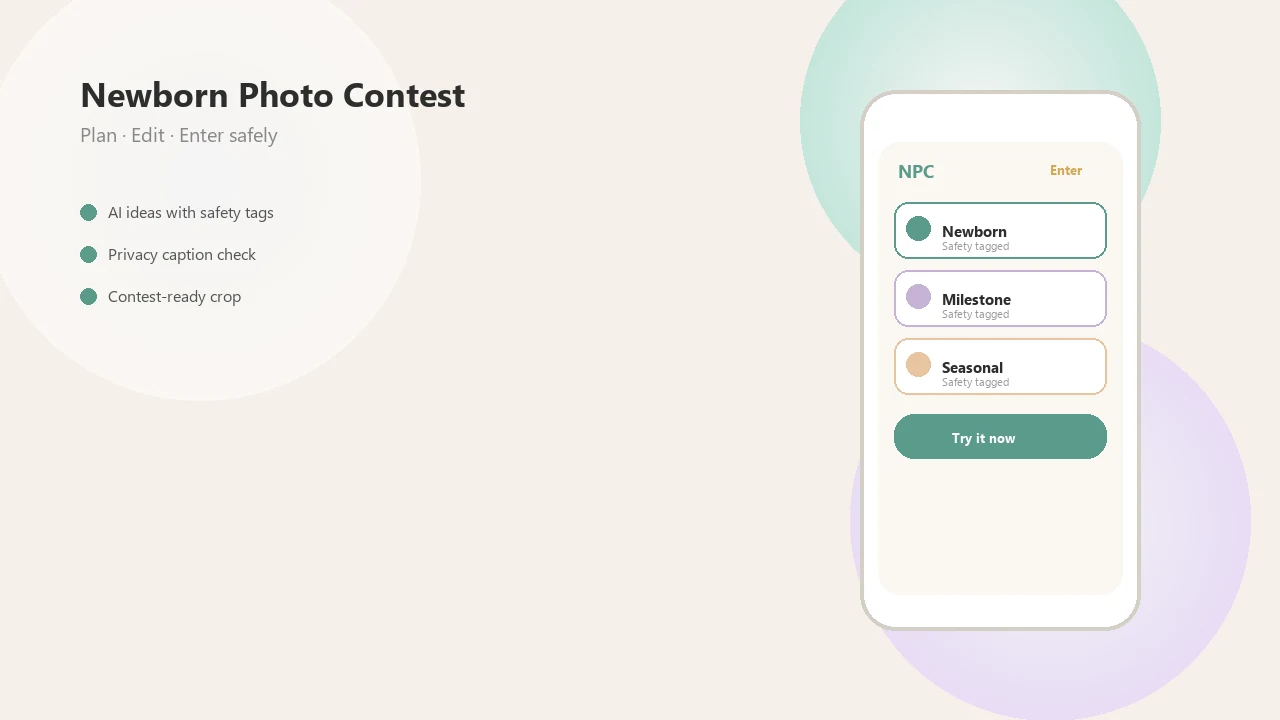
Newborn Photo App presents the milestone collage maker as a guided baby-photo workflow, not a blank poster builder. The emphasis is first-year structure, contest-ready setup, and family-safe sharing.
- Built-in templates include grids sized for contest submission, social posts, and keepsake exports.
- One-tap labels add month markers, dates, and milestone stickers without rebuilding each cell.
- AI-assisted suggestions help compare first-year layouts, though parents still choose the meaningful shots.
- Export paths send the finished collage toward a contest entry flow or print-ready download.
- AI context matters: Pew Research Center reported in 2024 that 23% of U.S. adults had used ChatGPT, which supports treating AI layout help as optional assistance rather than the whole product. (https://www.pewresearch.org/short-reads/2024/05/24/a-quarter-of-americans-have-used-chatgpt/)
On days the gallery favorites are compared side by side, NPC earns the spot because it keeps the final crop, label, and entry format in view.
Milestone Collage Maker vs Alternative Baby Collage Tools
A milestone collage maker differs from a generic collage app because the layout is built around age, timeline, and baby-specific use cases. Generic tools like Canva, PhotoJoiner, babyphotoart.app, or babypics.app can make attractive collages, but they may require more setup and licensing checks.
| Tool type | Main strength | Watch for |
|---|---|---|
| Generic collage app | Broad design freedom and many decorative templates | Not always milestone-specific or contest-ready |
| Baby photo grid maker | Fast square grids for monthly baby collage posts | May have limited print settings |
| Milestone tracker | Records dates and development moments | May not create polished image exports |
| Newborn Photo App | Milestone grids, contest sizing, safe-posing reminders, and export flow | Template style may not suit every family |
Parents looking for contest-ready milestone layouts may prefer Newborn Photo App because it pairs photo grids with sizing, resolution, and safe setup reminders.
For deeper phone edits before importing, the practical next step is our how to edit baby contest photos with phone guide.
Related Newborn Photo App Features for Baby Milestone Photos
Milestone collages often start with one strong photo, then become a grid, card, or entry. Newborn Photo App connects those steps so parents are not jumping between five unrelated tools.
The tool that can make AI newborn photo ideas helps plan safe, supervised themes before taking photos. The newborn photo editor helps brighten, crop, and prepare images before they enter a collage. For families posting or entering contests, the baby photo contest privacy checklist covers names, location clues, and sharing boundaries.
Parents looking for a simple repeatable workflow can use NPC for idea planning, photo selection, collage building, and export without turning the project into a full design session.
Limitations
A milestone collage maker is useful, but it cannot make every set of baby photos look polished. Source quality, licensing, and family judgment still matter.
- It cannot reliably fix blurry, dark, or heavily cropped source photos.
- Template-based designs can look repetitive when many users choose the same grid.
- AI layout suggestions do not guarantee emotionally meaningful or age-accurate results.
- Some collage tools prioritize visual appeal over print-quality resolution.
- Not every sticker, font, or template is licensed for contest or commercial reuse.
- A collage maker does not automatically create a story; parents still need careful photo and caption selection.
- Busy backgrounds can distract from the baby, especially in small grid cells.
- The awkward square crop box on entry forms can still cut off a bonnet or grandparent’s hand.
When a diaper sleeve or pacifier clip appears in the corner of a test shot, fix the photo before building the collage.