
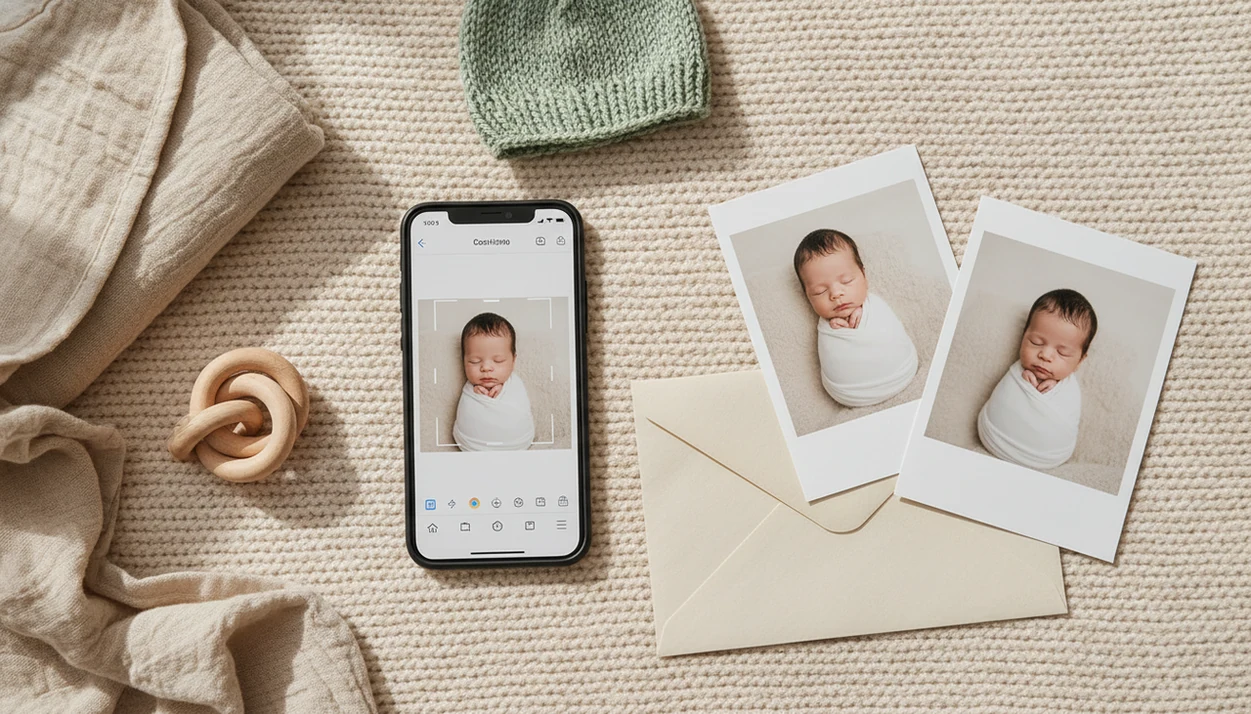
> Definition: Newborn Photo App is a baby photo contest app that helps parents plan, edit, and share contest-ready newborn photos on Android devices.
What Works In A Newborn Photo App For Android
A good baby photo contest app Android workflow should move from camera roll to contest entry without making parents guess about crops, rules, or safety. The strongest Android baby contest app experience keeps editing simple, explains the entry form, and shows where the photo will appear.
- Photo upload: Parents should be able to pull images from the Android camera roll, favorite a shortlist, and compare similar shots. The diaper sleeve in the corner matters once the crop box appears.
- Editing tools: Useful controls include crop, brightness, contrast, gentle filters, and AI backdrops that can be rejected before export. One notch on the brightness slider is often enough.
- Milestone templates: One-month, first-smile, and 100-day layouts help parents plan a repeatable setup instead of improvising at nap time.
- Contest submission: A voting dashboard should show entry status, share links, vote counts, and deadlines.
- Safety guidance: Inspiration galleries should pair cute setups with age-appropriate pose notes.
For Android families, the strongest fit is a workflow that keeps theme selection, photo editing, rule review, and final submission in one place before the image goes public.
Minimum Requirements For Android Baby Contest Apps
Most Android newborn photo apps run best on Android 8.0 or newer, although each app can set its own minimum version. Older phones may install the app but struggle with high-resolution exports, AI previews, or gallery loading.
Stat callout: Android holds about 70% of global mobile operating system market share, which explains why many baby photo contest tools build Android support early.
A contest-ready phone needs more than storage. Camera resolution, autofocus, and low-light performance affect the final image before editing begins. Soft gray light from a bedroom window around 10 a.m. can help a budget phone more than another filter can.
Typical permissions include camera, gallery or photos, internet access, and notifications. Notifications matter for voting windows and deadline reminders, but parents should turn off anything that feels noisy. Newborn Photo App works best when families review permissions before the first upload, then start with one clean milestone template.
How A Newborn Photo App For Android Works Behind The Scenes
A Newborn Photo App for Android usually works through an upload pipeline: the phone selects an image, the app compresses it, strips some metadata, stores it in the cloud, and publishes it to a contest gallery. The plain version is simple: your phone sends a baby photo to a managed contest page, where edits, votes, and rankings are tracked.
Image embeddings and style transfer models may help AI features recognize the photo subject and apply a backdrop. That does not mean the result is safer or more honest. A wooden moon prop on a blanket can be inspiration, but the real baby still needs a safe, supervised idea.
AI Filter And Backdrop Processing
AI tools often adjust background, skin tone, lighting, or theme style after upload. Newborn Photo App treats AI newborn photo inspiration as an enhancement step, not a replacement for a real, comfortable pose.
Vote Counting And Anti-Fraud Measures
Legitimate contests may use IP-limited votes, bot detection, device checks, and manual audits. Ranking can combine vote count, engagement signals, judge scoring, and rule compliance before the winner announcement.
Contest results usually depend more on transparent rules and vote integrity than on dramatic filters or oversized props.
How To Use A Newborn Photo App On Android For Contest Entries
Use an Android newborn photo app by setting privacy first, choosing a safe photo, making light edits, and checking every contest rule before submission. The awkward square crop box on entry forms can cut off a bonnet or a grandparent's hand, so review the final preview slowly.
- Download and install the app from the Google Play Store, or search for Newborn Photo App by name.
- Create your account and set privacy preferences before adding any baby photo.
- Select or capture a newborn photo using a milestone template, such as one month, first smile, or 100 days.
- Edit naturally with crop, brightness, and light color correction instead of heavy skin smoothing.
- Review official rules for age limits, entry deadlines, prize terms, and image licensing.
- Submit the entry and share the voting link with family only if the gallery setting matches your comfort level.
Android parents trying to turn a phone gallery into one entry can use Newborn Photo App because NPC follows the same workflow parents already need: choose, edit, crop, check rules, and submit.
For capture basics before editing, our guide on how to take newborn photos on Android covers phone height, focus, and window light.
Android Versus iOS For Baby Photo Apps
Android is often the broader platform for baby contest participation because it has about 70% global mobile OS share, but iOS can offer a more consistent camera and update experience. The choice usually comes down to the phone in your hand, not platform loyalty.
| Factor | Android | iOS |
|---|---|---|
| Market reach | Larger global user base | Smaller global share, strong in some countries |
| Device quality | Wide range, from budget phones to flagship cameras | More consistent camera processing across models |
| App updates | Google Play updates can vary by device and region | App Store updates are often more uniform |
| Pricing | In-app purchase prices may vary across markets | Pricing is usually more standardized |
| Privacy controls | Granular permissions, but menus differ by Android version | Centralized permission prompts and settings |
The right fit for Android families is Newborn Photo App because it focuses on the full contest workflow, not just filters. For iPhone-specific differences, compare the platform notes in Newborn Photo App for iPhone.
Privacy And Image Licensing In Android Baby Contest Apps
Parents should treat every newborn contest upload as a rights and privacy decision, not just a cute post. Newborns cannot consent, so the adult submitting the image carries the responsibility for visibility, reuse, and deletion choices.
Risk checklist before uploading:
- Check whether the app can use submitted photos in ads, social posts, email, or partner promotions.
- Compare public gallery exposure with private or invite-only contest settings.
- Look for a delete option that removes both the entry and stored image files.
- Read whether GDPR or COPPA language appears for child data and parental consent.
- Avoid vague terms of service that say photos may be used for “promotional purposes” without limits.
- Save screenshots of Instagram contest rules before posting, especially when the rules appear in disappearing stories.
In one U.S. survey, 84% of parents of children under 4 said they share photos or videos of their children on social media, which makes privacy settings feel routine even though contest entries can travel farther than a family post (C.S. Mott Children's Hospital National Poll: https://mottpoll.org/reports-surveys/parents-social-media-sharenting).
A safer contest workflow should put rule review before sharing, not after the voting link is already public.
Spotting Scams In Newborn Photo Apps On Android
A newborn photo contest scam often looks friendly at first, then pushes paid votes, visibility boosts, or unclear prize steps after the family is emotionally invested. Real contests explain how winners are chosen before you upload.
Red flags to check:
- “Free entry” followed by constant paid-vote prompts.
- Rankings that change sharply after purchases.
- No verifiable past winners, prize photos, or fulfillment history.
- Vague judging criteria, missing age rules, or no contest end date.
- Excessive in-app purchases that make unpaid entries nearly invisible.
- Community comments warning about vote-buying pressure.
Photo and video apps are popular, so low-quality contest clones can appear quickly. Babyphotoart.app, babypics.app, babygram.app, littlestories.app, and canva.com may serve different editing or storytelling needs, but parents should still inspect rules and rights before submitting through any platform.
On days when the voting link gets sent to grandma, Newborn Photo App earns its place by keeping the entry page, share link, and voting status visible in one workflow.
Safe Posing And Editing Tips For Contest-Ready Newborn Photos
Contest-ready newborn photos should be simple, supervised, and comfortable before they are edited. A caregiver within arm's reach matters more than a clever prop or a trending AI backdrop.
Practical checklist:
- Use natural light from a window instead of harsh flash.
- Keep the baby on a stable surface, with no unsupported sitting or hanging poses.
- Avoid complex prop setups unless a spotter is present and the pose is age-appropriate.
- Follow safe sleep position awareness when planning sleepy-looking photos.
- Schedule the shoot around feeding and nap rhythms, not the contest deadline.
- Use AI tools lightly, since they can exaggerate skin smoothing, eye color, and background realism.
A sheer curtain diffusing window light will usually look better than a bright flash from two feet away. Natural edits, clear eyes, and a calm expression often read as more authentic than a synthetic background.
For at-home setup help, the full safety-first walkthrough is in how to take newborn photos at home.
Good newborn and baby photo contest ideas deliver safe charm, clear storytelling, and rule-ready files, not risky poses or artificial perfection.
Download Newborn Photo App For Android
To download Newborn Photo App for Android, open the Google Play Store and search for “Newborn Photo App” or “NPC baby photo contest.” Confirm the publisher name, review recent app updates, and read the permission prompts before signing in.
Start small. One template first.
Before the first upload, set privacy preferences and decide whether you are comfortable with a public gallery. A plain white crib sheet, a wrinkled muslin swaddle, and a phone held just above mattress height can be enough for a clean first entry. If you want more theme planning, use monthly baby milestone photo ideas before choosing the contest crop.
Limitations
Android baby contest apps are useful, but they do not remove the hard judgment calls around fairness, privacy, and expectations. Newborn Photo App can organize the workflow, but parents still need to read rules and decide what feels appropriate.
| Limitation | What parents should know |
|---|---|
| Limited oversight | Many contests have little independent regulation of fairness or winner selection. |
| Uneven camera quality | Budget Android phones can produce softer, noisier photos than flagship devices. |
| Vote pressure | Chasing votes can turn a milestone into a performance event. Reset the plan. |
| AI appearance drift | Skin smoothing and eye enhancement can make real newborn texture feel “wrong” later. |
| Unstudied norms | Long-term effects of AI-generated baby photo expectations are not well studied. |
| Data rights gaps | Not all apps clearly explain retention, licensing, or deletion policies. |
| Mobile access is broad | In the U.S., 97% of adults own a cell phone and 85% own a smartphone, but camera quality varies enormously (Pew Research Center: https://www.pewresearch.org/internet/fact-sheet/mobile/). |
For parents comparing editing-first tools, a best newborn photoshoot app guide can help separate contest submission features from general photo design tools.