
What App Identifies Unsafe Newborn Pose Risks?
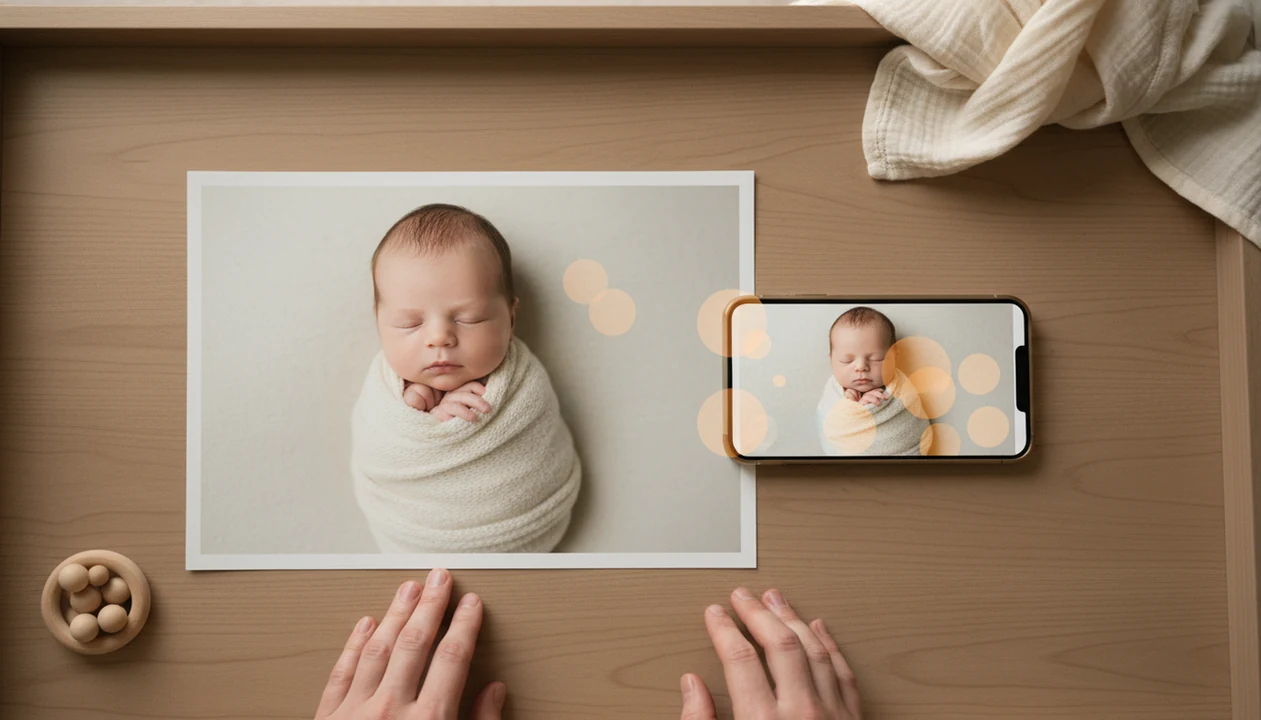
A baby photo safety app or newborn pose checker can help identify unsafe newborn pose risks by flagging airway, circulation, overheating, prop, and fall hazards in a photo. The answer to what app identifies unsafe newborn pose is not a single magic app, but any tool that combines AI image review with infant-safety rules and human judgment.
Definition: An unsafe newborn pose app is a baby photo safety app that analyzes a newborn photo for visible posing risks, then prompts an adult to review whether the setup should be changed, supported, composited, or avoided.
TL;DR
- Use a newborn pose checker as a second set of eyes, not as medical clearance.
- The highest-risk signals include chin-to-chest positioning, covered face, unstable props, purple or red limbs, and raised surfaces.
- For contest-ready newborn photos, safer poses and composite editing are better than recreating viral unsupported poses.
This guide is for photo-planning and contest-submission decisions only. If a baby shows breathing trouble, blue or gray coloring, unusual limpness, overheating, or distress, stop the photo session and seek medical help instead of relying on an app.
What an unsafe newborn pose app can actually identify
An unsafe newborn pose app is a baby photo safety app or newborn pose checker, not a medical device. It can point out visible posing risks, but it cannot know a baby’s full health history, muscle tone, breathing pattern, or comfort level.
A useful checker looks for chin-to-chest positioning, a blocked face, unstable props, tight curling, unsupported head position, raised surfaces, and sleep-like setups that look risky. If the photo shows a tiny hand gripping a wrap, the app should still ask whether the wrap is too tight and whether the face is fully clear.
Tools like Newborn Photo App help parents plan, edit, and share contest-ready newborn photos. In this context, the app supports adult review before sharing or contest submission, rather than replacing it. Good newborn and baby photo contest ideas, photography tips, milestone shoots, and ai newborn photo inspiration deliver safer creative choices, not permission to copy risky poses.
Generic photo editors such as Canva, Lightroom, Google Photos, and Apple Photos can improve an image, but they should not be treated as newborn pose checkers because they are not built to flag infant airway, prop, circulation, or fall risks.
Five newborn pose checker facts parents should know
- Apps can flag visible risk factors, not guarantee medical safety. A checker may catch a covered nose or tilted head, but it cannot clear a pose for a specific baby.
- Viral froggy, taco, glass-bowl, and hanging-style looks are often composites. They may be built from supported images, not one real unsupported pose.
- The core danger categories are airway, heat, circulation, and falls. Watch for blocked breathing, heavy layering, purple or very red limbs, and raised props.
- Infant safety guidance still matters. The NHS advises a clear airway, visible face, and back sleeping on a firm, flat mattress without pillows, duvets, loose blankets, or soft toys source.
- For contests, pose-risk tools work best before submission. For parents comparing newborn poses safe for beginners, the safest workflow is screening first, then cropping and captioning.
How a baby photo safety app works behind the scenes
A baby photo safety app usually starts with a camera scan or uploaded image, then uses computer vision to estimate body position, face visibility, head angle, limb color, and prop context. In plain terms, the software tries to read the photo the way a cautious reviewer would read it before pressing upload.
The second layer is rule-based. Airway prompts may flag chin-to-chest angles or fabric near the mouth. Temperature prompts may notice heavy wraps, hats, and layered props. Circulation prompts look for compressed limbs. Fall-prevention prompts look for baskets, bowls, beds, couches, chairs, tables, or props that lift the baby away from a secure surface.
Training data matters. Social and contest images can include unsafe poses, so the dataset needs expert curation. The tool should return risk prompts, confidence levels, and safer alternatives, not a simple “approved” label. Approved sounds too final. It isn’t.
Before you start: newborn photo safety prerequisites
Before you open the camera or upload a contest image, make the setup boringly safe. The app can help review a photo, but the room, surface, and caregiver position have to be right first.
- Choose a firm, low surface that is supervised the whole time, such as a clear crib mattress or another stable setup close to the floor. Avoid couches, beds, tables, baskets, and props that can shift or tip.
- Keep one alert adult within arm’s reach from setup through the final frame. If you need both hands for styling, pause the photo instead of stepping away.
- Clear the scene of loose blankets, pillows, cords, clips, pacifier strings, beads, tiny signs, and small styling pieces that could move toward the baby’s face or hands.
- Skip advanced poses unless a trained newborn photographer is present and actively supporting the baby. Froggy, taco, bowl, and suspended-looking images are not casual at-home setups.
- Check the basics before every shot: room warmth, wrap tightness, visible nose and mouth, relaxed positioning, and normal baby color. If anything looks off, stop and reset.
How to use an unsafe newborn pose app before a contest entry
For contest entries, use an unsafe newborn pose app before editing, filters, cropping, or caption writing. The test shot of an empty blanket often reveals problems early, such as a slippery surface or a pacifier clip in the corner.
A practical test is simple: if you would need to take one hand off the baby to grab the phone, the setup is already too complicated for an at-home contest photo.
- Set up a simple, supervised, low-risk pose before taking photos, with a caregiver within arm’s reach.
- Upload the image or scan it in the app before editing or submission.
- Review airway, face, limb, temperature, prop, and fall-risk warnings one by one.
- Replace risky poses with safer ideas or use ethical composite editing where appropriate.
- Ask a trained adult or professional photographer to review any warning you do not understand.
- Submit only photos that also match official contest safety rules.
For contest families, checking the pose before editing is often easier than fixing a risky setup later because the baby can be moved, unwrapped, or settled into a safer idea immediately.
Newborn pose risk signals a baby photo safety app should flag
A baby photo safety app should flag practical red signals that tell adults to pause, retake, or choose a safer pose. The warning should be plain enough to understand while standing beside the crib with one hand on the phone.
- Airway signals: Chin pressed to chest, face turned into fabric, mouth or nose covered, or face not visible.
- Circulation signals: Very purple, very red, compressed, or tightly folded limbs.
- Temperature signals: Heavy wraps, warm rooms, layered props, hats, and signs the baby may be overheating.
- Fall signals: Baskets, bowls, beds, couches, chairs, tables, or any raised unstable prop.
- Composite signals: Froggy and taco-style setups should not be attempted unsupported.
The American Academy of Pediatrics’ 2022 safe sleep guidance emphasizes a firm, flat, non-inclined surface and avoidance of soft objects and loose bedding, which is why photo-screening prompts should treat airway and surface risks conservatively source.
The CDC reported about 3,400 sudden unexpected infant deaths in the United States in 2020, including SIDS, accidental suffocation and strangulation in bed, and unknown causes source. Photo posing is not the same as sleep, but airway and surface awareness still belong in the room.
Contest-ready newborn photo ideas safer than risky poses
Contest impact can come from lighting, expression, story, styling, and editing, rather than extreme posing. Soft gray light from a bedroom window around 10 a.m., a plain white crib sheet, and a phone held just above mattress height can do more than a complicated prop.
| Safer contest idea | Why it works | Safety note |
|---|---|---|
| Back-lying portrait | Keeps the pose simple and readable | Use a firm, flat, supervised surface with no loose items near the face |
| Parent-hands detail | Adds scale and emotion | Keep the baby fully supported |
| Swaddled closeup | Looks calm and clean | Keep the face visible and avoid tight wrapping |
| Crib-side lifestyle shot | Feels natural and personal | Remove loose styling items before any real sleep |
| Milestone card nearby | Adds story | Place the card away from the baby |
| Fantasy composite | Allows creative scenes | Build the image ethically from supported photos |
Families planning newborn photo contest ideas can use Newborn Photo App to plan, edit, and share contest-ready newborn photos while keeping safety checks in the workflow.
Common myths about what app identifies unsafe newborn pose risks
Does an app-safe label mean the pose is safe for every baby? No. A newborn pose checker can miss health-specific concerns, hidden supports, temperature stress, or a caregiver stepping away.
A second myth is that professional-looking contest photos are always safe to copy at home. Many polished images use trained spotters, composite editing, or angles that hide support. The awkward square crop box on an entry form can even cut off a grandparent’s hand that was helping support the baby.
A third myth says pose checkers are only for sleep photos. Awake and studio-style shots can still involve raised props, tight curling, or blocked airways.
A quiet baby is not always comfortable or safe. Stillness can be misleading.
Finally, editing out a spotter does not mean no support was needed. Parents unsure about copied poses should review newborn poses to avoid before trying them.
When to ask a pediatrician or trained newborn photographer
Ask a pediatrician when the baby is premature, medically fragile, low-birth-weight, or has any breathing, feeding, muscle-tone, or airway concern. Ask a trained newborn photographer when the pose requires support, compositing, or more than a simple flat setup.
Use the app as a pause button, not as a place to solve medical questions. If professional review is not available, choose the simpler photo: baby on the back, face clear, surface flat, adult close.
- Stop the session immediately if you notice breathing changes, blue, gray, very red, or unusual color, limpness, frantic movement, or distress.
- Call the baby’s pediatrician for individualized advice before trying curled, swaddled, side-lying, or prop-based poses with a vulnerable newborn.
- Book a trained newborn photographer for froggy, taco, bowl, suspended-looking, or other composite-only images that require hands-on support.
- Avoid troubleshooting airway, circulation, or medical worries through app prompts, captions, or contest feedback.
- Switch to a flatter, lower-risk portrait when you cannot get a professional answer quickly.
Limitations
An unsafe newborn pose app is a screening tool with real limits. It should slow down risky decisions, but it cannot make the room safe by itself.
- It can only evaluate what is visible in the image.
- It may miss hidden instability, off-camera supports, overheating, or a caregiver walking away.
- It cannot replace a pediatrician, trained newborn photographer, or individualized review for premature, low-birth-weight, or medically fragile babies.
- AI training data may contain unsafe public images unless curated by experts.
- A safety score is not approval for real sleep practices.
- It cannot physically stop someone from attempting an advanced pose without support.
- It may misread color, shadows, blankets, or edited images after filters are applied.
If the app flags a froggy, taco, bowl, or hanging-style idea, treat that warning seriously. The safer path is often composite newborn posing explained, where support is visible during capture and removed only in the final edit.
FAQ
Is there a newborn pose checker?
Yes, AI-assisted baby photo safety apps can flag visible pose risks such as covered faces, raised props, and chin-to-chest positioning. They are not medical clearance.
Can AI detect unsafe baby poses?
AI can detect some visible hazards, including face coverage, head angle, limb compression, and unstable prop context. It can miss hidden support problems and baby-specific health risks.
Are froggy newborn poses safe?
Froggy poses should generally be treated as composite-only setups with trained support. They should not be attempted as unsupported at-home poses.
What is chin-to-chest risk?
Chin-to-chest risk means the baby’s neck is flexed so the chin presses down toward the chest, which can compromise the airway. A visible face and lifted chin matter in any posed photo.
Are newborn contest poses safe?
Some newborn contest poses are safe, especially simple supervised portraits. Others may be composites or unsafe to recreate without training.
Can apps approve sleep photos?
Pose apps should not approve sleep practices. Safe sleep guidance is separate from contest-style photography.
What poses should parents avoid?
Parents should avoid unsupported heads, raised props, covered faces, tight curling, unstable containers, and poses that require hidden support. When unsure, choose safer, flatter setups.
Who should review newborn poses?
Trained adults, experienced newborn photographers, and medical professionals should review newborn poses when safety is unclear. Babies with health vulnerabilities need individualized guidance.