
How To Edit Baby Contest Photos With Phone Naturally
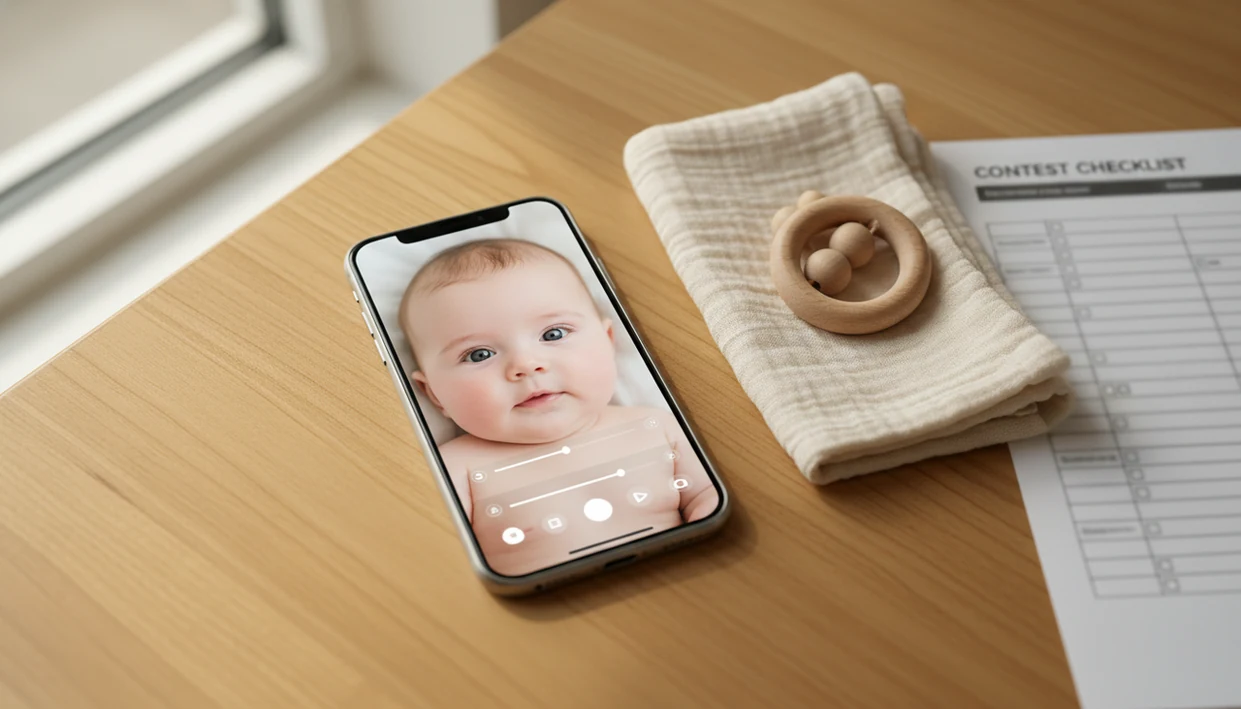
A safe way to learn how to edit baby contest photos with phone is to make small, rule-safe adjustments: choose the sharpest photo, crop it cleanly, correct light and color, keep skin real, then export at the contest’s required size. Avoid heavy filters, AI face changes, body reshaping, and anything that makes the baby look unlike themselves.
> Newborn Photo App is a baby photo contest app that helps parents plan, edit, and share contest-ready newborn photos.
- Start with the best original frame because phone editing cannot fix blur, missed focus, or poor lighting.
- Natural baby photo edits should improve exposure, color, crop, and file quality without changing the baby’s features.
- Read contest rules before using AI tools, smoothing, background replacement, or strong filters.
At-a-glance phone editing workflow for baby contest photos
- Select the sharpest original frame before opening any slider or preset.
- Crop and straighten next, so the entry form does not cut off the bonnet, hands, feet, or milestone prop.
- Adjust light first, then color, then skin cleanup, then sharpening.
- Export last, using the contest’s file type, size, dimensions, and aspect ratio.
- Keep the goal simple: a bright, honest photo, not a filtered image that hides the baby.
Phone editing is common because most parents already capture and manage family pictures on their phones. Pew Research Center's Mobile Fact Sheet reports that 90% of U.S. adults own a smartphone, which makes phone-first contest editing realistic for many parents: https://www.pewresearch.org/internet/fact-sheet/mobile/.
The practical workflow is select, crop, straighten, light, color, skin cleanup, sharpen, export. On a good day, that takes less time than finding the pacifier clip in the corner of the test shot.
Keep it real.
How phone photo editing for contests works
Phone photo editing for contests works by changing the pixels already captured in the image through exposure, contrast, white balance, saturation, detail, and compression controls. These edits stack on top of the original photo, so missed focus and motion blur cannot be truly repaired.
Exposure brightens or darkens the file. White balance changes warmth and tint. Saturation pushes colors stronger or softer. Detail tools sharpen edges, and compression reduces file data when you export or upload.
Baby skin reacts badly to aggressive sliders. Too much contrast can make cheeks look rough. Too much saturation can turn soft skin orange or red. Clarity and auto-enhance often make flakes, fine lines, and baby fuzz look harsher than they did in the room.
For contest entries, natural editing supports fairness and authenticity. A natural contest edit should still look like the baby a grandparent would recognize in the room: the same cheeks, hairline, skin texture, and expression, just cleaner light and a tidier frame.
Before you edit baby photos on phone for a contest
Read the official rules before you edit baby photos on phone for a contest. Some contests allow basic light and crop changes. Others restrict AI generation, background replacement, face reshaping, eye color changes, heavy smoothing, or strong filters.
- Rules screenshot: Save the contest rules before posting, especially for Instagram or app-based entries.
- Original backup: Duplicate the photo first, so you can compare the edited version with the real frame.
- Editing app choice: Use the native Photos app, Lightroom Mobile, Snapseed, or a simple baby milestone app for text overlays only if rules allow them.
- Rule-sensitive tools: Treat AI retouching, background swaps, and face edits as high-risk unless the rules clearly permit them.
Tools like Newborn Photo App, Canva, babyphotoart.app, and babypics.app can help organize ideas, overlays, or formats. The safest edit still starts with the contest’s written policy, not the app menu.
How to use a phone editor for natural baby photo edits
Use a phone editor for natural baby photo edits by working from structure to detail: pick the frame, set the crop, balance light, correct color, clean small distractions, and export for the entry form. For parents editing during a nap window, this order prevents the “one more filter” spiral.
- Select the sharpest and most expressive frame, with clear eyes, mouth, hands, or eyelashes.
- Crop and straighten before applying color edits, especially for square or 4:5 contest forms.
- Adjust exposure, highlights, shadows, and contrast gently, watching cheeks and white clothing.
- Correct warmth and tint until baby skin looks realistic, not orange, gray, or too pink.
- Clean temporary distractions lightly without changing permanent features or identity.
- Export at the contest’s required size and review the image on another screen.
For most parent-shot entries, a restrained phone edit is often better than a dramatic preset because it preserves expression, skin texture, and contest credibility.
Step 1: Choose the sharpest baby contest photo on your phone
Which baby photo should I edit for a contest? Choose the sharpest safe photo with the strongest natural expression, then edit that frame lightly instead of trying to rescue a blurry favorite.
Image selection matters more than filters. Zoom in to 100% and check the eyes, eyelashes, mouth, and hands. If the eyelashes against a warm cheek are clear but the blanket is soft, that can still work. If the eyes are smeared from motion, no slider will restore the moment.
Prioritize safe positioning, calm expression, clean background, and good light. A simple backdrop, like a plain white crib sheet, often beats a busy setup with toys, laundry, and a diaper sleeve peeking into the frame.
Do not submit the cutest blurry frame just because the smile is rare. A contest-ready setup needs focus first. Mood comes second.
Step 2: Crop and straighten baby photos on phone first
Crop and straighten baby photos before exposure and color edits because the crop determines what the judge, voter, or entry form actually sees. It also removes distractions before you start judging brightness and skin tone.
Common contest-friendly crops include square, 4:5 vertical, standard portrait, and full-body milestone shots. Square crops are popular on social platforms, but the awkward square crop box can cut off a bonnet or grandparent’s hand if you frame too tightly.
Leave breathing room around the baby’s head, hands, feet, and props unless a tight portrait is intentional. For a milestone image, keep the number card, blanket pattern, or small prop readable.
Straighten crib rails, wall lines, blanket edges, and milestone backdrops. A neutral quilt over an armchair can look polished after a tiny straighten and crop. Too much tilt makes even soft light feel messy.
Step 3: Adjust exposure and contrast for contest-ready baby photos
Exposure controls the overall lightness of the photo. Brightness is a simpler version of that. Highlights are the lightest areas, shadows are the darker areas, whites set the brightest white point, blacks set the deepest dark point, and contrast controls the gap between light and dark.
Start small. Raise exposure a little, pull highlights down if the forehead or white onesie glows, then lift shadows slightly if the swaddle looks muddy. Add only modest contrast. The best way to brighten a baby contest photo is to protect skin detail while making the face easy to see.
Soft gray light from a bedroom window around 10 a.m. usually needs fewer edits than overhead yellow room light. If the baby’s cheeks turn flat white, you pushed too far. If wrinkles and flakes suddenly look sharp, contrast is too high.
A practical order works well: exposure first, highlights down, shadows slightly up, contrast last.
Step 4: Fix color and skin tones in natural baby photo edits
Warmth, sometimes called temperature, controls whether a photo looks blue and cool or yellow and warm. Tint controls the green-to-magenta balance. Together, they decide whether baby skin looks believable.
Watch for orange, red, gray, or overly pink skin. A warm filter preview on a swaddle may look sweet, but it can push cheeks into pumpkin tones fast. Compare skin with a neutral object in the frame, such as a white onesie, plain sheet, crib rail, or wall.
If blankets, bows, or props look too intense, lower saturation or vibrance. Saturation affects all colors more bluntly. Vibrance usually protects some skin tones better, but it can still go too far.
Baby skin naturally has redness, flakes, tiny bumps, and texture. Do not erase all variation. For a deeper app comparison, our best newborn photo editing app guide covers tools that handle color more gently.
Step 5: Retouch baby contest photos with phone tools carefully
Retouch baby contest photos only to remove temporary distractions if the rules allow it. Do not use phone tools to change the baby’s identity, permanent features, or natural skin texture.
| Edit choice | Usually safer if rules allow | Rule-risky or unnatural |
|---|---|---|
| Clothing cleanup | Remove lint, a milk spot, or a loose thread | Change outfit color or redraw clothing |
| Background cleanup | Heal a tiny speck on a sheet | Replace the whole room with an AI nursery |
| Skin cleanup | Reduce a temporary scratch lightly | Remove birthmarks or smooth all texture |
| Face edits | Leave cheeks, eyes, and hairline real | Reshape cheeks, change eye color, alter hairline |
| Detail | Keep pores, eyelashes, baby fuzz, and fine lines visible | Create plastic skin or painted eyes |
A wrinkled muslin swaddle can be softened by crop and light cleanup, but not every fold needs fixing. If you need broader editing basics, a newborn photo editor should still preserve the real baby.
Avoid AI retouching and background replacement unless the rules explicitly allow them.
Step 6: Sharpen and export baby contest photos from your phone
Sharpen after crop, light, color, and retouching are finished. Sharpening adds edge contrast, so it should be subtle on newborn and baby photos.
Watch for crunchy eyelashes, noisy shadows, bright halos around the baby, and skin that looks too detailed. If the baby’s forehead suddenly looks textured like fabric, reduce sharpening. A phone held just above mattress height can capture plenty of detail without needing a hard sharpen later.
Before exporting, check the contest requirements for file type, dimensions, file size, and aspect ratio. A high-quality JPEG is usually a practical choice unless the contest asks for PNG, HEIC, or another format.
Review the exported image at full size. Then compare it with the original. If the edited version looks cleaner but still familiar, you are closer to a natural contest-ready photo.
Common phone photo editing mistakes in baby contests
- Heavy filters can clash with natural baby features and make skin look waxy, orange, or gray.
- Auto-enhance can over-brighten, over-sharpen, and oversaturate baby skin in one tap.
- Too much blur can hide texture so strongly that the face looks plastic.
- Extreme vignette effects can pull attention away from the baby and make the frame feel staged.
- Editing on a dim phone screen can hide color casts, halos, and rough texture.
Trendy presets often look designed for travel, food, or fashion photos, not a newborn’s soft face. That mismatch is obvious when the baby’s cheeks turn warmer than the blanket or the eyes look artificially crisp.
Take a short break before submitting. Set the phone down, feed the baby, fold one burp cloth, then look again. Fresh eyes catch strange color faster than another slider pass.
Contest rule check for natural baby photo edits
Are my baby photo edits allowed for this contest? The only reliable answer is in the official rules, because contest standards can be stricter than normal social media expectations.
For Instagram-based contests, check the host's official rules and Meta's promotion guidelines before posting, because platform rules can apply in addition to the contest caption: https://help.instagram.com/179379842258600.
Use this pre-submit checklist:
- Does the baby still look like themselves?
- Are crop, brightness, color, and light cleanup allowed?
- Are AI tools, filters, smoothing, or background changes restricted?
- Is the crop correct for the entry form?
- Is the file size, format, and aspect ratio correct?
- Is there an original backup saved?
Parents often save screenshots of Instagram contest rules before they post. Smart move. Rules can change, captions can be edited, and story-based instructions disappear.
AI newborn photo inspiration can help plan outfits, themes, props, or an inspiration board, but do not generate the submitted image unless the rules allow it. For planning only, a tool that can make AI newborn photo ideas can be useful before the real photo session.
Limitations
Phone editing can improve a good baby photo, but it cannot solve every contest problem. A natural edit still depends on safe, well-lit original photography.
- Phone editing cannot fix severe blur, missed focus, closed eyes in the wrong frame, unsafe posing, or very poor light.
- Small screens can hide halos, compression artifacts, color casts, and over-smoothing.
- Some apps compress photos automatically, which can reduce contest upload quality.
- Contest rules vary, so edits accepted in one contest may be rejected in another.
- AI-generated backgrounds, face changes, body reshaping, and dramatic eye color edits may be banned.
- Removing permanent features such as birthmarks can be ethically questionable and rule-risky.
- A safe, supervised idea matters more than an edit. Keep a caregiver within arm’s reach during any setup.
- Privacy still matters after editing. A baby photo contest privacy checklist can help before you upload.
There is no slider for safety. If the original pose was not age-appropriate, choose a different frame.
FAQ
Can I edit baby contest photos before submitting them?
Yes, basic edits are usually acceptable if the contest rules allow them and the baby still looks natural. Cropping, light correction, color balance, and minor cleanup are the safest categories.
Which app is best for editing baby photos for a contest?
The right app depends on the task: native phone editors are simple, Lightroom Mobile is strong for color, Snapseed is useful for selective edits, and baby photo apps help with overlays. Apps such as Newborn Photo App can also help parents plan and format contest-ready images.
Are filters allowed in baby photo contests?
Light filters may be allowed in some contests, but strong filters can make baby skin look unnatural. Always check the official rules before using presets.
Can I smooth baby skin in a contest photo?
Very light cleanup may be acceptable if rules allow it, but natural skin texture should remain visible. Do not remove permanent features or make the baby look airbrushed.
Should I use auto enhance on baby contest photos?
Auto enhance is risky because it can over-brighten, over-sharpen, or oversaturate baby skin. Manual small adjustments usually produce more natural results.
What crop is best for a baby contest photo?
Use the crop required by the contest, such as square, 4:5, portrait, or full-body milestone format. Leave space around the baby’s head, hands, feet, and props unless the rules request a close portrait.
Can I remove background clutter from a baby contest photo?
Cropping out clutter is usually safer than replacing the background. Light healing of tiny distractions may be allowed, but full background replacement can violate contest rules.
What file size should I upload for a baby photo contest?
Upload the file size, dimensions, format, and aspect ratio listed in the contest rules. If no special format is required, a high-quality JPEG export is usually practical.