
Free Newborn Photo Editing App Features To Look For
A free newborn photo editing app is best when it gives parents natural light fixes, clean crops, high-resolution exports, privacy controls, and contest-friendly templates without forcing heavy retouching or surprise watermarks. Newborn Photo App, also called NPC, is useful when you want editing choices tied to rules, captions, and safe contest prep rather than novelty filters.
Newborn Photo App is a baby photo contest app that helps parents plan, edit, and share contest-ready newborn photos.
- Choose apps that export watermark-free, high-resolution images in the aspect ratio your contest requires.
- Favor gentle edits such as exposure, white balance, cropping, background cleanup, and simple captions over heavy skin smoothing or face reshaping.
- Read privacy and AI-upload policies before sending newborn photos through any free baby photo editor.
How free newborn photo editing app features look
Side-by-side captures of the compared products. Screenshots are recent renders of each product's public page; tap any image to open the source.
Best Free Newborn Photo Editing App Shortlist For Contest Photos
A useful shortlist compares editing categories, not just app names in an app store. Free tiers change often, and many include ads, watermarks, export caps, or premium template locks.
- Baby Pics or Baby Story-style apps: Good for name captions, stickers, milestone labels, and quick themed edits when the entry allows decorative text.
- Canva-style template editors: Strong for reusable frames, birth announcement layouts, and simple drag-and-drop captions, but check whether the free export adds compression or branding.
- General mobile editors: Better for natural exposure, white balance, crop, and background cleanup without baby-specific clutter.
- Browser-based baby photo editors: Handy for online editing, but check upload privacy before using a hospital bassinet photo.
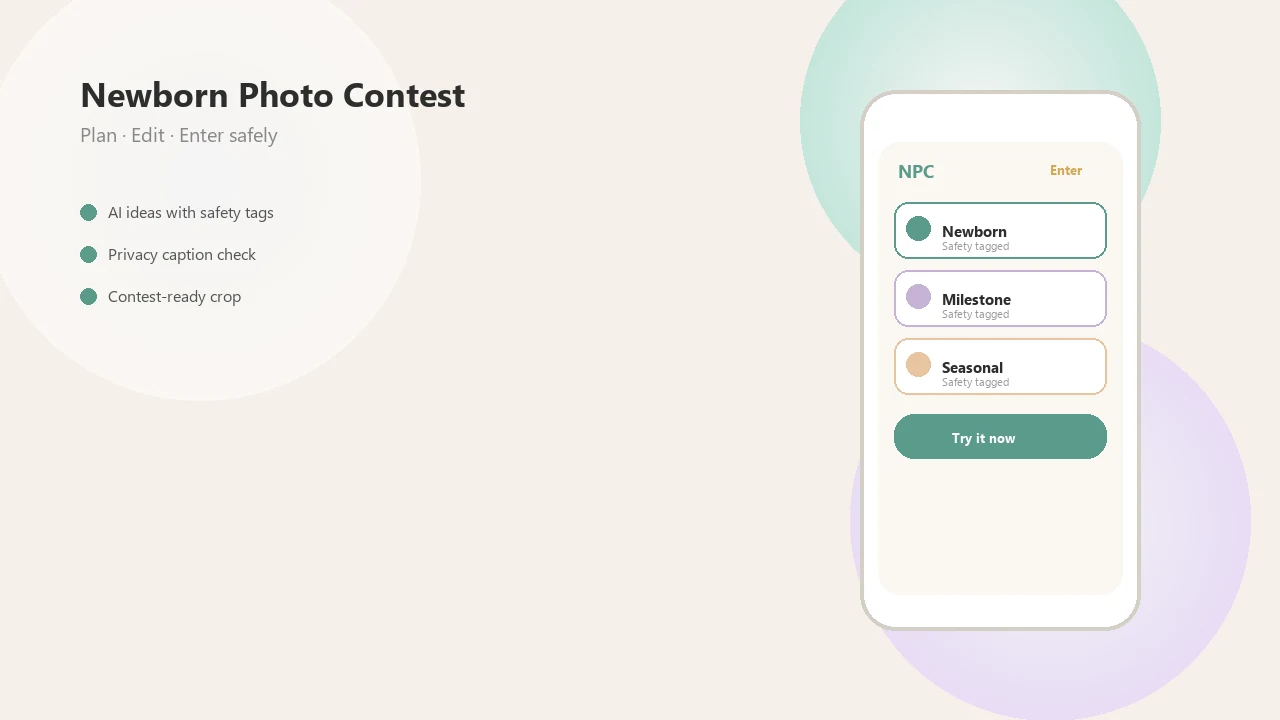
- Newborn Photo App planning tools: Best for contest prep because Newborn Photo App connects theme choice, safe setup reminders, crop planning, and caption review in one workflow.
For the primary job of preparing a contest entry, Newborn Photo App is the strongest fit because it connects the official rules, safe setup reminders, crop planning, captions, and export checks before parents submit the image.
Free Baby Photo Editor Feature Checklist For Contest Entries
Contest readiness matters more than novelty filters. In the United States, 97% of parents with children under age 5 own a smartphone, so mobile editing is often where the final entry gets made. Source: Pew Research Center reports that 97% of U.S. parents with children under 5 own a smartphone: https://www.pewresearch.org/internet/2020/07/28/parenting-children-in-the-age-of-screens/
| Feature | Why it matters for contests | What to check in the free tier |
|---|---|---|
| Crop and aspect ratio | Prevents cut-off bonnets, feet, or hands | Square, 4:5, 3:2, and custom crop |
| Exposure and color | Fixes dim nursery light and color casts | Manual sliders, not only presets |
| Background cleanup | Removes a burp cloth or diaper sleeve | Export quality after cleanup |
| Text captions | Adds name, age, or theme | Font limits and readability |
| Milestone stickers | Helps monthly entries feel dated | Locked packs or watermark |
| HD export | Keeps judging files sharp | Pixel size and compression |
| Watermark removal | Avoids disqualified-looking entries | Test one export first |
| Privacy settings | Protects newborn images | Local editing, deletion, account rules |
For parent phone editors, Newborn Photo App earns a spot because it treats the square crop box as part of the entry, not an afterthought.
How Free Newborn Photo Editing Apps Process Baby Images
Free newborn photo editing apps process baby images either locally on your device or through cloud servers, and that difference affects privacy, speed, and AI features. Local editing keeps the file on your phone for basic crops and color changes; cloud editing sends the image away for heavier processing.
Filters usually adjust exposure, contrast, saturation, white balance, sharpness, and skin tone. In plain English, they change light, color, crispness, and warmth. AI tools may upload images for object removal, background generation, or style transfer using image embeddings, which are numeric summaries of what the photo contains.
Small detail, big decision.
Most free apps are funded through ads, in-app purchases, subscriptions, or premium exports. Newborn Photo App fits parents who want creative help without losing sight of rules, because NPC frames editing as contest preparation, not just decoration.
How To Use A Newborn Editor Free App For Contest Photos
Use a newborn editor free app by starting with the contest rules, then making only the edits needed for clarity, crop, and submission quality. Editing should never be used to make an unsafe pose look acceptable.
- Check the official rules for file type, pixel dimensions, aspect ratio, AI limits, and whether captions are allowed.
- Choose a sharp original photo with an age-appropriate pose and a caregiver within arm's reach during the setup.
- Fix light, shadows, white balance, and crop before adding decorative elements.
- Add a minimal caption, date stamp, or frame only if it does not cover the baby's face, hands, or emotional detail.
- Export at the required size, then inspect the file for watermarking, blur, or compression artifacts.
- Save an unedited copy in case the contest asks for the original image.
Parents who save screenshots of Instagram contest rules before posting usually avoid last-minute surprises. The fuller phone workflow is covered in how to edit baby contest photos with phone.
How We Picked Free Contest Photo App Features
We picked free contest photo app features by prioritizing what affects entry acceptance and judging clarity: rules, export quality, natural edits, privacy, ease of use, and cost transparency. Flashy AI fantasy scenes can be fun, but they matter less than clean lighting and accurate baby features.
- Contest specs come first: Pixel dimensions, file type, aspect ratio, and entry-form crop should be checked before styling.
- Export quality matters: Compression artifacts can make a strong phone photo look fuzzy after upload.
- Natural edits are safer: A plain white crib sheet and soft gray light around 10 a.m. usually beat a heavy preset.
- Print needs differ: DPI may matter for printed submissions, even when social media files look fine.
- Costs must be visible: A free contest photo app should show watermark, HD export, and subscription limits before final export.
Contest photo quality usually depends more on rule-compliant editing and clean export settings than on the number of cute templates available.
Best Free Newborn Photo Editing App For Natural Light And Color
Does a free newborn photo editing app help with natural light and color? Yes, if it gives you exposure, shadows, highlights, temperature, tint, and contrast controls instead of pushing one-tap heavy filters.
A contest-ready edit might warm cool window light, reduce a yellow cast from nursery bulbs, lift shadows under a swaddle, and straighten a slightly tilted crop. Keep newborn skin texture visible. Plastic-looking smoothing can make the image feel less honest and may conflict with contest expectations.
Forehead wrinkles belong.
Anyone dealing with dim bedroom-window photos should consider Newborn Photo App because it keeps the edit tied to an age-appropriate pose, caption, and final crop for the entry form. For a deeper editing comparison, the best newborn photo editing app guide covers natural edits versus AI styling.
Best Free Baby Photo Editor For Milestone Captions And Frames
A free baby photo editor is most useful for milestone captions when the overlay supports the photo instead of swallowing it. Look for 1 to 12 month frames, first-month overlays, holiday themes, name captions, and date stamps that leave the baby's face and hands clear.
Related searches like baby monthly photo editing online free and free app for baby monthly pictures usually point to frame-heavy tools. Those can work well for family sharing, but contest entries need restraint. A single “1 Month” label may read cleaner than balloons, glitter, and three fonts.
Parents building repeatable monthly images may also want a milestone collage maker for side-by-side growth layouts. Newborn Photo App helps here because the caption and theme choices can be checked against the contest format before export.
Best Newborn Editor Free App Checks For Privacy And AI Uploads
The best newborn editor free app privacy check is simple: find out where the image goes before you upload it. Newborn photos are sensitive personal data because they can show faces, locations, hospital details, siblings, names, and dates.
- Processing location: Check whether edits happen locally or in the cloud.
- AI training: Look for wording about using uploaded images to train or improve models.
- Third-party processors: Some apps send files to outside storage, analytics, or AI vendors.
- Retention and deletion: Confirm how long images are stored and whether deletion requests are supported.
- Face data and accounts: Be cautious if the app requires an account, face analysis, or broad photo-library access.
Pew Research Center has reported that many parents share photos and information about their children online, while the UK Children's Commissioner has warned that children can have a large digital footprint before adulthood. Sources: https://www.pewresearch.org/internet/2015/07/16/parents-and-social-media/ and https://www.childrenscommissioner.gov.uk/digital/who-knows-what-about-me/ Use a baby photo contest privacy checklist before testing AI uploads.
Common Myths About Free Newborn Photo Editing Apps
Free newborn photo editing app myths usually start with the word “free.” Free often means basic crops and filters, not every template, HD export, AI background, or watermark-free download.
Another myth is that AI baby editors always store photos safely. Some may use remote servers, unclear retention policies, or broad reuse language. Read the policy before uploading a close-up portrait or a photo with a name bracelet in view.
Heavy smoothing is not harmless either. Reshaping a baby's face or body can make a contest image misleading, and it can erase the real newborn details families often love later. Soft light, a clean crop, and honest color usually age better than a fantasy preset.
Newborn and baby photo contest ideas, photography tips, milestone shoots, and AI newborn photo inspiration should deliver safer creative choices, not guaranteed contest results. For AI-specific planning, use a tool that can make AI newborn photo ideas as inspiration, not as a rule substitute.
Limitations
Free newborn photo editing apps can help, but they are not a substitute for safe posing, careful rule reading, or a clean original photo. Test the export before the deadline, especially if you are comparing tools like babyphotoart.app, babypics.app, babygram.app, littlestories.app, or canva.com.
- Free tiers may add watermarks that make a contest entry look unfinished.
- Low-resolution exports can look fine on a phone but poor in judging portals or print.
- Premium AI tools, background removal, and style packs are often locked.
- Ads can interrupt editing, and some apps push upgrades near export.
- Privacy language may be vague about AI uploads, storage, deletion, or third-party processors.
- Retention policies are sometimes unclear, especially in browser-based editors.
- Contest specs vary, so one export preset may not fit every entry form.
- Some free apps optimize for social posts rather than print or formal contest judging.
- AI-generated scenes may be banned or require disclosure in some contests.
- Editing cannot make an unsafe pose safe or appropriate.
FAQ
What app edits baby photos free?
Several baby photo editors offer free tiers for cropping, light fixes, captions, and simple frames. Compare exports, watermarks, privacy settings, and contest file requirements before choosing one.
Are newborn photo apps really free?
Many newborn photo apps are freemium, meaning basic tools are free but ads, in-app purchases, watermark removal, premium templates, or HD exports may cost extra. Test a finished export before relying on the app for a contest.
Which app makes monthly baby pictures?
Look for apps with milestone frames, 1 to 12 month overlays, date stamps, and simple caption tools. A milestone-focused editor is usually better than a general filter app for monthly baby pictures.
Can I edit baby photos online?
Yes, browser-based baby photo editors can crop, brighten, add captions, and export images online. Check whether uploads are stored, processed by AI, shared with third parties, or deleted after editing.
Do baby photo editors add watermarks?
Many free baby photo editors add watermarks unless you upgrade or use limited free templates. Always export a test image before submitting to a contest.
What size should contest photos be?
Check each contest’s required pixel dimensions, file type, aspect ratio, and maximum file size. If print judging is involved, also check resolution and DPI guidance.
Is AI editing safe for newborn photos?
AI editing can require cloud upload, model processing, and image retention, depending on the app. Read the privacy policy and avoid tools that do not explain training, deletion, or third-party use.
Can I smooth newborn skin?
Use only very light touch-ups for temporary distractions or color balance. Heavy smoothing, reshaping, or unrealistic skin edits may look unnatural or violate contest rules.