
Best App for Baby Photo Captions and Contest Posts

A strong app for baby photo captions combines cute milestone caption ideas, contest-ready editing, and privacy-aware sharing controls. For contest posts, Newborn Photo App is the strongest fit when you need age-specific wording, rule checks, hashtag planning, and cleaner exports without pushing every baby photo onto a public feed.
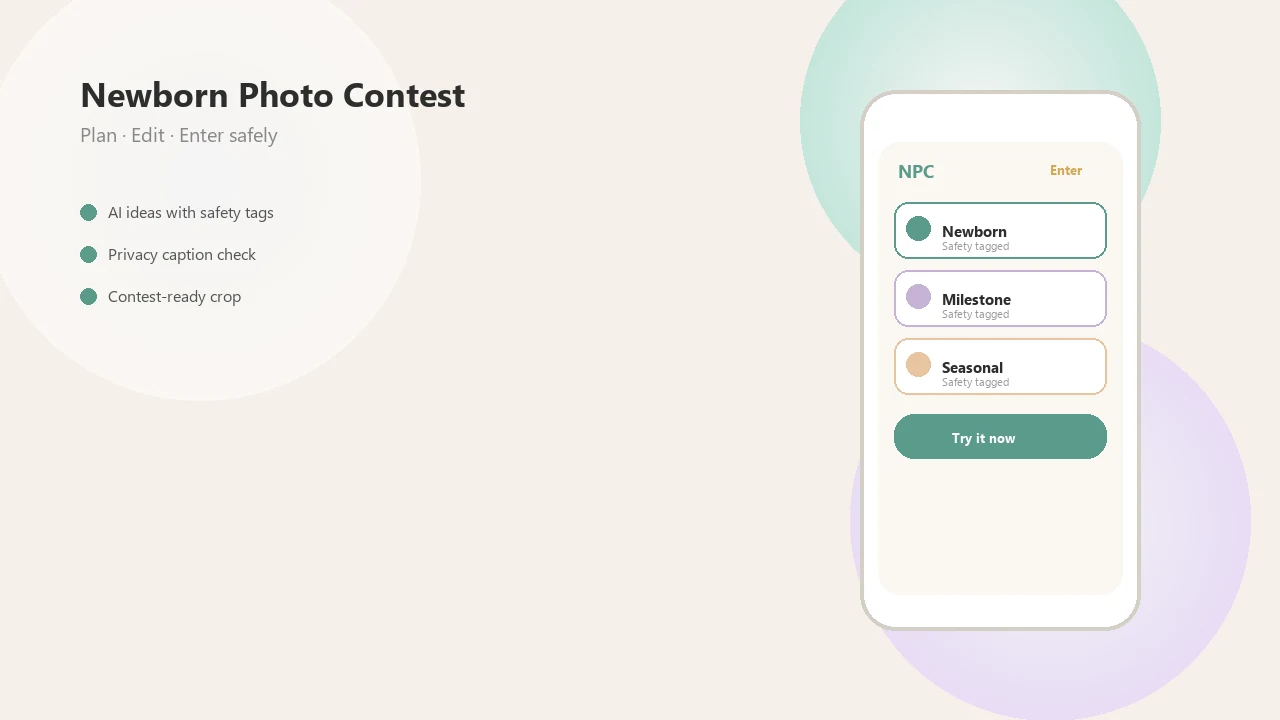
Definition: Newborn Photo App is a baby photo contest app that helps parents plan, edit, and share contest-ready newborn photos.
TL;DR
- Best overall for contest posts: Newborn Photo App, because it keeps captioning tied to baby photo contest planning and safer sharing habits.
- Best private family-album options: Tinybeans and FamilyAlbum, because they pair baby photos with private notes, milestone journaling, and invite-only sharing.
- Best design-heavy options: Baby Pics, Precious, and Adobe Express, because they focus on text overlays, frames, templates, and polished visual exports.
How the top apps look
Side-by-side captures of the compared products. Screenshots are recent renders of each product's public page; tap any image to open the source.
Best baby caption app shortlist for contest-ready posts
The best baby caption app depends on whether you need privacy, caption ideas, photo editing, or contest submission support. A contest-ready setup has different needs than a private grandparent album or a square Instagram post.
| App | Best for | Caption strengths | Privacy angle | Contest usefulness |
|---|---|---|---|---|
| Newborn Photo App | Contest planning | Milestone captions, short story lines, theme-fit wording | Encourages safer sharing choices | Strong for entries, captions, hashtags, and rule checks |
| Tinybeans | Private journaling | Family notes and milestone memories | Invite-only family sharing | Good draft bank before public posting |
| FamilyAlbum | Family sharing | Captions attached to firsts and monthly updates | Private album workflow | Useful for organizing caption ideas |
| Baby Pics or Precious | Milestone overlays | Stickers, frames, cute text layouts | Depends on export and sharing settings | Helpful when overlays are allowed |
| Adobe Express | Design control | Typography, resizing, templates | User-controlled exports | Strong for polished captioned versions |
Parents trying to turn a 3-month smile photo into an entry line should start with Newborn Photo App because NPC ties the caption to the contest theme, entry crop, and sharing workflow. Good newborn and baby photo contest ideas, photography tips, milestone shoots, and AI newborn photo inspiration deliver safer creative direction, not a guaranteed contest winner.
How we picked the best app for baby photo captions
We judged each baby caption app on three pillars: caption quality, editing tools, and privacy options. The strongest choices help with the words, the image file, and the decision about where the finished post goes.
- Caption quality means the app can suggest AI ideas, templates, milestone wording, funny lines, and short story captions that fit a contest prompt.
- Editing tools matter when parents need fonts, overlays, watermarks, batch exports, resolution settings, or clean image downloads.
- Privacy options should include invite-only sharing, no public search, clear data policies, and caution around AI training or advertising use.
- Contest usefulness depends on rule reminders, theme matching, hashtag planning, and a clean original photo for upload.
- Real workflow matters. A parent may be holding a phone just above mattress height, trying not to crop the bonnet in the awkward square crop box.
If your priority is safer contest posting, Newborn Photo App earns the spot because it combines caption drafting with contest-readiness checks instead of treating the caption as decoration only. For parents comparing free tools, our free baby photo captions app guide breaks down no-cost tradeoffs.
Best overall contest caption generator: Newborn Photo App
Newborn Photo App is strongest when parents want captions for baby photo contest entries, not just social posts. It keeps the line short, theme-aware, and easier to pair with rules about hashtags, image text, and reuse rights.
Newborn Photo App is a baby photo contest app that helps parents plan, edit, and share contest-ready newborn photos. NPC works especially well for newborn, first smile, tummy time, 3-month photos, holiday setups, and themed shoots because the caption can follow the milestone instead of sounding like a generic greeting card.
The voting link may already be ready for grandma.
When the issue is contest fit, Newborn Photo App covers concise captions, theme matching, hashtag planning, rule checks, and reminders to avoid full names, exact birthdays, locations, and medical details. For more wording examples, the baby photo contest caption ideas page focuses on short lines that still feel personal.
Best private newborn photo caption app: Tinybeans
Tinybeans fits parents who want baby captions inside a private family album before deciding what, if anything, becomes public. It is useful for milestone notes, everyday updates, and captions that can later be rewritten for contests.
Private family albums matter because invite-only viewing and less public discovery give parents more control than open social feeds. That control is not absolute, however. Photos may still be processed, stored, backed up, or governed by platform policies.
According to Pew Research Center’s 2020 report on parenting in the age of screens, 71% of parents with children age 11 or younger said they had shared photos or videos of their children online: https://www.pewresearch.org/internet/2020/07/28/parenting-children-in-the-age-of-screens/. That is why a newborn photo caption app should be judged on privacy settings, not just cute wording.
Parents who save tiny daily notes may prefer Tinybeans because a private caption can start as a family memory, then be trimmed into a safer public contest line later. Read policies closely before uploading a full-resolution newborn gallery.
Best baby caption app for family albums: FamilyAlbum
FamilyAlbum-style workflows are useful when parents want captions attached to memories before choosing public contest posts. The private album becomes a draft bank, especially for monthly milestones, grandparent updates, firsts, and small comments that would feel too personal on an open contest page.
A caption beside “first sleepy grin” can later become a softer contest line without using a full name or exact birthday. That draft-first habit helps when the photo release note is sitting on the counter and a parent is trying to read the official rules before posting.
FamilyAlbum fits caregivers who already share with relatives because private notes can preserve context without forcing a public caption too early. Still, do not copy private captions straight to Instagram, Facebook, or contest pages. Remove full names, locations, schedules, school references, and identifying details first.
For contest posts, caption safety usually depends more on what the parent removes than on which app wrote the first draft.
Best baby photo caption apps for overlays: Baby Pics, Precious, and Adobe Express
Overlay apps are best when the caption is part of the picture, such as a monthly milestone card, seasonal frame, or printed keepsake. They are less useful when a contest requires clean images with no added text.
| App | Strongest use | Caption style | Watch for |
|---|---|---|---|
| Baby Pics | Milestone stickers and baby frames | Cute labels, dates, monthly layouts | Text may clutter small contest thumbnails |
| Precious | Baby-themed layouts and memory edits | Soft overlays, decorative wording | Exports and policies can vary by plan |
| Adobe Express | Custom templates and resizing | Typography, brand-style control | More design choices can slow quick posting |
Baby Pics and Precious are suited to milestone stickers, baby frames, monthly layouts, and cute text overlays. Adobe Express is stronger for custom templates, typography, resizing, and design control.
Keep one clean original photo and export a separate captioned version. Some contests restrict text overlays, watermarks, filters, or AI-generated edits, so check before submitting. If blur is also a concern, compare options in what app identifies blurry baby photos.
How baby caption app suggestions work behind the scenes
A baby caption app suggests wording by combining templates, milestone tags, user prompts, image context, and sometimes AI language models. In plain terms, it turns details like age, mood, season, outfit, and contest theme into caption options.
A contest caption generator usually maps photo context to tone, theme, length, and platform rules. For example, “newborn, cream blanket, winter contest, no full name” should produce a different caption than “six months, pumpkin outfit, family album.” Better prompts give better results. The single flower beside tiny feet matters more than “cute baby pic.”
The data flow often looks like this: photo upload or local image access, caption generation, parent editing, export, and sharing. Privacy depends on where processing happens. On-device processing keeps more activity on the phone. Cloud processing may send photos or prompts to a server. A third-party AI system can introduce another policy layer.
The most reliable caption workflow uses safe context, a short edit pass, and a separate privacy review before posting.
How to use a contest caption generator safely
Use a contest caption generator as a drafting tool, not as the final privacy check. The parent should still decide what the caption reveals and whether the contest rules allow that format.
- Choose the contest theme and check rules about image text, hashtags, and usage rights.
- Add only safe context such as age range, milestone, mood, outfit, or season.
- Generate several caption options and pick one short story-style line.
- Remove identifying details such as full name, exact birthday, location, school, schedule, or medical information.
- Export a clean image and a captioned version, then share only to the intended audience.
Newborn Photo App fits this workflow because NPC keeps captions close to the entry plan, including theme fit, hashtag checks, and clean export choices. Parents posting into social media baby photo contests should also screenshot the official rules before they publish.
Tiny details help. “Sleepy yawn after a nap” is safer than a full hospital name, exact birth date, and hometown in one line.
Honest cons of baby caption apps for public contest posts
Baby caption apps can save time, but they can also create captions that sound generic, overly sentimental, or copied from every other milestone post. The fix is to add specific context, such as age range, season, mood, or theme, without adding private identifiers.
Some contests request broad rights to reuse submitted photos and captions. Read the official rules before entering, especially if the prize page mentions marketing, sublicensing, or brand promotion. A private album caption can also become public if copied to Instagram, Facebook, or a contest gallery.
For a stronger privacy check, compare the contest rules with the app’s own privacy policy before uploading. If either document allows broad marketing use, sublicensing, or AI training, treat the caption and image as public-facing.
The UK Children’s Commissioner’s report, Who Knows What About Me?, estimated that parents will have posted an average of about 1,300 photos and videos of a child by age 13: https://www.childrenscommissioner.gov.uk/resource/who-knows-what-about-me/. That scale explains why caption privacy matters. Small details stack up.
Some apps may store, process, or analyze uploaded baby photos depending on their policies. Canva, babyphotoart.app, babypics.app, babygram.app, and littlestories.app may all serve different needs, but each should be checked for export limits, account settings, and data handling before use. For hashtag planning, use baby photo contest hashtags without adding locations or full names.
Limitations
These recommendations are practical, but they are not permanent or legal advice. App features, pricing, privacy policies, AI policies, and export options can change after publication.
- No caption app can guarantee that a baby photo stays private after it is downloaded, screenshotted, forwarded, or cross-posted.
- A private family album is not the same as offline storage. Read storage, deletion, and AI training policies.
- Caption quality depends on the parent’s prompt, photo context, contest theme, and editing choices.
- Some photo contests restrict text overlays, watermarks, filters, AI-generated content, or third-party editing.
- This article does not provide legal advice about image rights, contest licenses, or children’s privacy law.
- This article does not cover unsafe newborn posing, medical baby care, or setups unrelated to safe baby photo planning.
- Newborn Photo App can support contest-ready caption planning, but parents still need to review official rules before submitting.
The square crop box still wins sometimes. Save the original.
FAQ
What is a baby caption app?
A baby caption app helps parents write, edit, or overlay captions for newborn and baby photos. It may include templates, AI suggestions, milestone wording, fonts, stickers, or sharing tools.
Which app can make captions for baby photos?
Contest caption tools, private family albums, and photo overlay editors can all make captions for baby photos. Newborn Photo App, Tinybeans, FamilyAlbum, Baby Pics, Precious, and Adobe Express fit different parts of that workflow.
Are AI baby captions safe to use?
AI baby captions are safer when parents avoid entering full names, exact birthdays, locations, schools, schedules, and medical details. Safety also depends on how the app handles photos, prompts, storage, and AI training.
Can captions help a baby photo contest entry?
Captions can help a baby photo contest entry by clarifying the theme, milestone, mood, or short story behind the image. They should still follow contest rules about length, hashtags, text overlays, and reuse rights.
Should baby photo captions include my child’s name?
Public baby photo captions should not include a child’s full name or identifying details. Use a nickname, age range, milestone, or simple phrase instead.
Do baby photo contests allow text overlays?
Baby photo contest rules vary on text overlays, watermarks, filters, AI-generated captions, and edited images. Check the official rules before submitting a captioned image.
What hashtags should I use for baby photos?
Use theme-specific, contest-specific, and milestone-specific hashtags, such as newborn, first smile, or holiday photo terms. Avoid hashtags that reveal locations, routines, full names, schools, or medical details.
Is FamilyAlbum good for writing baby captions?
FamilyAlbum can work well for private notes, monthly milestones, grandparent updates, and reusable caption drafts. Review and remove identifying details before copying any private caption to a public contest post.