
What App Identifies Blurry Baby Photos Before Contest Entry?
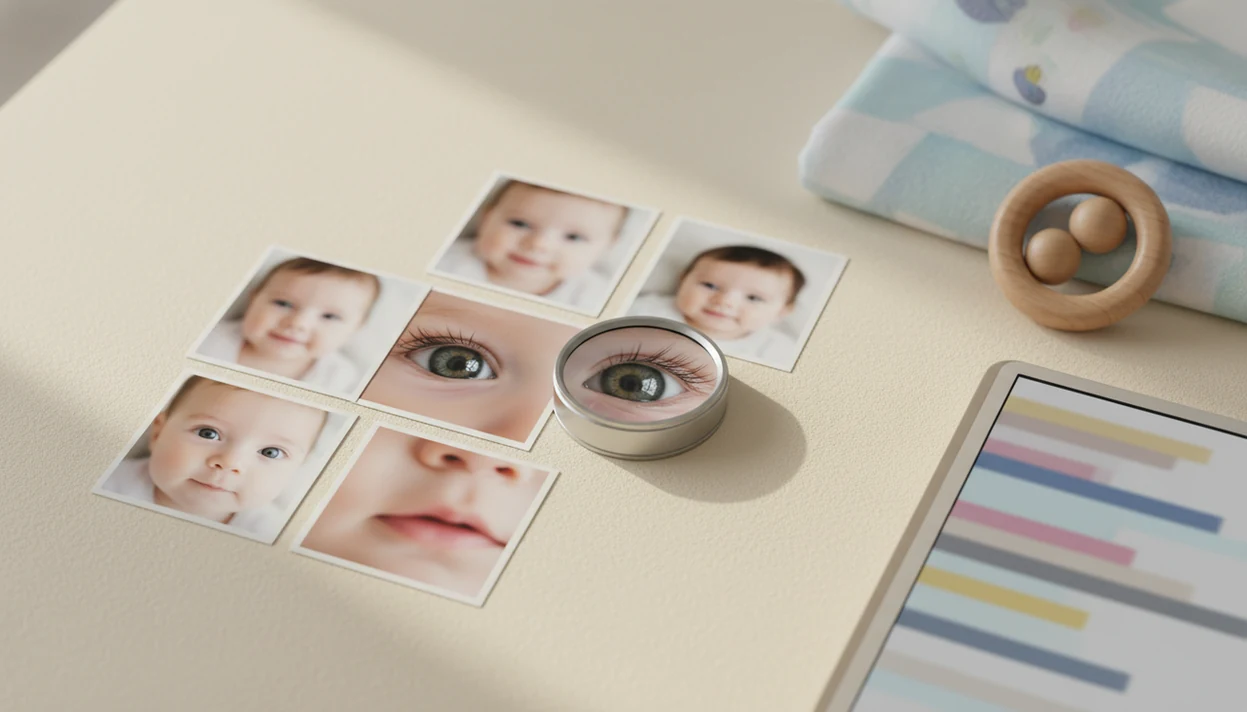
A blur checker or baby photo quality checker is the kind of app parents usually need when asking what app identifies blurry baby photos. It scans images for focus, motion blur, noise, and face sharpness so you can choose a cleaner contest entry before submitting.
> Newborn Photo App helps parents prepare contest-ready baby photos after the blur-check step: screen for sharpness first, then use NPC to plan, edit, caption, and share the final newborn photo entry.
- Use a blur checker app to flag soft baby photos, but make the final choice with your own eye.
- Contest-ready baby photos usually need sharp eyes, natural skin tone, good light, and minimal motion blur.
- AI unblur tools can help slightly soft images, but they cannot fully rescue severe motion blur or missed focus.
Blur Checker App Meaning for Baby Contest Photos
what app identifies blurry baby photos? Usually, the answer is a blur checker app, a sharpest baby photo app, or a baby photo quality checker. The names differ, but the job overlaps: scan a group of images and point out which ones look soft, noisy, shaky, or poorly focused.
A key detail gets missed. Many photo apps enhance pictures, but they don't rank a batch or reject blurry images. A filter can make a soft photo brighter without making the baby's eyelashes truly sharper.
For contest use, the goal is simple: choose the cleaner newborn or baby submission before you upload. We often see parents compare ten nearly identical shots, then notice the square crop preview cuts off a bonnet or grandparent's hand. The sharper photo still has to fit the entry form.
How a Baby Photo Quality Checker Works
A baby photo quality checker uses image analysis to estimate whether a photo is sharp enough for viewing, printing, or contest submission.
Most tools examine sharpness, digital noise, motion blur, face detection, and eye-region focus. In plain language, the app checks whether the baby’s face has clean detail or whether movement, low light, or missed focus made it mushy. Some systems use image embeddings, which are numerical fingerprints that help software compare visual patterns.
Technically, many blur checks rely on edge-detail or frequency signals; OpenCV’s Laplacian operator documentation explains how edge changes can reveal image sharpness loss (https://docs.opencv.org/4.x/d5/db5/tutoriallaplaceoperator.html). Face-focused tools may also use face detection or landmark models, such as Google ML Kit’s face detection API (https://developers.google.com/ml-kit/vision/face-detection).
The eyes usually matter more than the crib rail or blanket edge. That is why a checker may score eyelashes, eyelids, and the face more heavily than a soft background. Most parents take baby photos on smartphones, and large camera rolls make manual review tiring. For contest selection, a quality checker is often faster than scrolling through 180 similar swaddle shots one by one.
Five Baby Photo Sharpness Facts Parents Should Know
- Blur checker apps typically evaluate sharpness, noise, motion blur, and face detail before rating a baby photo.
- Contest judges usually respond better to sharp eyes and eyelashes than to a sharp blanket with a soft face.
- Steady hands, bright light, a clean lens, and faster capture still matter more than fixing blur later.
- AI unblur tools can invent unnatural baby skin texture or eye detail, especially on low-light photos.
- App quality scores are guidance, not professional judgment, and parents should still review the final image at full size.
A photo can pass a software scan and still feel wrong. Maybe the pacifier clip sits in the corner. Maybe the skin looks waxy after enhancement. Good newborn and baby photo contest ideas, photography tips, milestone shoots, and ai newborn photo inspiration deliver safer, clearer choices, not a guaranteed contest outcome.
How to Use a Blur Checker App Before Baby Contest Entry
For parents choosing a contest entry, a blur checker works best as a first pass, not the final judge. Use it to narrow the pile, then inspect the baby’s face yourself.
- Select a batch of similar baby photos from the same setup or milestone shoot.
- Scan the batch for blur, noise, face sharpness, and low-quality warnings.
- Compare the top images side by side, especially if the baby moved between frames.
- Check the eyes manually at full size before trusting the app score.
- Avoid over-enhancement if skin, lashes, or lips start to look artificial.
- Save the final version in the size and crop needed for the contest upload.
Tools like Newborn Photo App can fit after this scan, helping parents plan, edit, and share contest-ready newborn photos without turning the process into guesswork. For a broader selection workflow, parents also compare tools in an app that helps choose baby photo.
Sharpest Baby Photo App Features Worth Checking
The sharpest baby photo app is not always the one with the strongest unblur slider. For baby contest photos, look for features that help you choose a natural, sharp image before you edit heavily.
| Feature type | Why it matters for baby photos |
|---|---|
| Blur detection | Flags shaky, soft, or motion-blurred images quickly. |
| Face and eye sharpness scoring | Helps prioritize the baby’s face over blankets or props. |
| Batch review | Saves time when you took dozens of near-duplicates. |
| Local processing | Reduces cloud upload concerns for baby images. |
| Enhancement preview | Shows whether sharpening creates odd skin or eye artifacts. |
| Export quality | Preserves detail after crop, resize, and upload. |
Baby-specific tuning is uncommon in general photo enhancer apps, so compare general tools such as Remini, Topaz Photo AI, Canva, Google Photos, and built-in iPhone or Android gallery features by what they actually do: rank sharp images, enhance soft images, crop for sharing, or organize batches. Ask whether the app uploads images, stores face data, or keeps edited copies. That matters more when the photo includes a newborn, a name sign, or nursery details.
Baby Photo Capture Habits That Beat Blur Checker Scores
Better capture habits prevent blur more reliably than software repairs it afterward. Practical steps include holding the phone steady, using bright window light, cleaning the lens, tapping to focus on the eyes, and shooting in burst mode when the baby wiggles.
Soft gray light from a bedroom window around 10 a.m. is often easier to work with than a dim nursery lamp. Place the baby safely on a flat, supervised surface, keep a caregiver within arm’s reach, and skip poses that require balancing or support removal. A phone held just above mattress height can catch the face clearly without awkward distortion.
Motion blur and focus errors are common reasons people reject photos of moving children. For contest parents, the most reliable way to reduce blurry baby photos is to improve light and stability before using an AI blur checker. Safe setup first. Editing second.
Newborn Photo App Quality Check Before Upload
After the app scan, do a human contest-readiness check. The final image should look clear, natural, properly cropped, and suitable for the official rules.
- Eyes and eyelashes: Open the image at full size and confirm the baby’s eyes or closed eyelids are the intended focus point.
- Skin texture: Keep newborn skin natural, and avoid waxy AI smoothing or overly sharpened lips.
- Lighting: Choose even light over dramatic shadows unless the rules allow stylized portraits.
- Background: Remove visual distractions like a diaper sleeve, burp cloth, or toy half-visible in the corner.
- Crop and export: Preview the square crop box before uploading, then save at the highest accepted quality.
Apps such as Newborn Photo App, Canva, and baby photo editors can help with layout and export. If the naturally sharp photo feels quieter than the enhanced one, choose the natural file. For captions after selection, a best app for baby photo captions can help keep the entry text tidy.
Common Mistakes When Checking Baby Photo Blur
The most common mistake is treating the blur score as the answer instead of a shortcut. A baby photo can rate well because a blanket, bow, crib rail, or prop is crisp while the face still looks soft.
Use the checker to sort, then slow down before you upload:
- Zoom into the baby’s eyes, eyelids, lashes, and mouth before accepting the app’s top pick.
- Compare face sharpness before background sharpness, especially when a knitted blanket or name sign looks cleaner than the baby.
- Stop sharpening or using unblur if skin turns waxy, lashes look painted on, or lips gain hard outlines.
- Preview the exact contest crop so hands, bonnets, stuffed animals, and meaningful props are not clipped at the edge.
- Review cloud processing settings before uploading, including whether the app stores baby photos, edited copies, or face-related data.
A slightly quieter natural photo often works better than a sharper-looking file that feels fake. If you cannot decide, step away for a few minutes, then reopen the finalists at full size and in the upload crop.
Before You Start: Safety, Privacy, and Contest Requirements
Before you scan or upload baby photos, make sure the entry is allowed, private enough, and safely captured. A sharp photo is not worth using if it breaks contest rules, exposes personal details, or required an unsafe setup.
- Read the contest rules before editing, cropping, sharpening, or using AI enhancement, because some entries must stay close to the original file.
- Remove or crop out names, addresses, hospital bracelets, school or clinic labels, house numbers, and any background clues that reveal location.
- Clean the phone lens, then choose bright, soft light so the blur checker is judging the photo fairly instead of fighting fingerprints or a dim nursery.
- Decide whether cloud upload is acceptable for your family, especially if the tool processes faces online or stores edited copies; use local processing if that feels safer.
- Keep the baby on a flat, supervised surface during any reshoot, with a caregiver close enough to support the baby immediately.
Once those basics are handled, the blur score becomes more useful. You are comparing contest-ready choices, not fixing avoidable risks after the upload screen.
Limitations
Blur detection helps, but it has real limits parents should understand before trusting a score.
- AI may misjudge creative shallow depth of field when the baby’s face is sharp but the background is intentionally soft.
- Severe motion blur or missed eye focus usually cannot be fully restored by consumer unblur tools.
- Enhancement can create artifacts, over-smoothed skin, strange eyelashes, or unnatural eye detail.
- Low-light nursery photos with both noise and motion blur may remain unusable for contest entry.
- Quality scores are not independently benchmarked across most apps, so ratings can vary.
- Cloud processing can raise privacy and data-retention concerns for baby images.
- For privacy, check whether the app stores uploaded images, uses face data, or shares data with third parties; the FTC’s COPPA guidance explains why children’s personal information requires extra care online (https://www.ftc.gov/business-guidance/privacy-security/childrens-privacy).
- A sharp image can still be unsuitable if it breaks official rules, crop requirements, or platform policy.
Parents entering social media baby photo contests should also save screenshots of Instagram contest rules before posting. Rules change, and screenshots prevent confusion later.
FAQ
What app checks blurry photos?
A blur checker app, photo quality checker, or AI sharpness app can scan images for blur, noise, missed focus, and motion blur. Some tools rank photos, while others only enhance them.
Can AI fix blurry baby photos?
AI can improve slight softness, but it cannot perfectly repair severe motion blur or missed focus. Heavy unblur can also create unnatural baby skin or eye detail.
Which baby photo should I submit?
Submit the photo with sharp eyes, natural light, clean composition, and minimal editing artifacts. The strongest contest image is usually clear before enhancement.
Do iPhones detect blurry photos?
iPhones support manual review through Photos, zooming, favorites, and sorting, but built-in blur rejection is limited. Third-party blur checker apps can help review batches faster.
Do Android phones detect blurry photos?
Android phones offer gallery review, Google Photos organization, and third-party sharpness tools. Exact blur detection options depend on the device, camera app, and installed photo apps.
Are photo enhancer apps private for baby photos?
Some enhancer apps upload images to the cloud for processing, which can involve face data and retention questions. Review privacy settings before uploading baby photos.
Do megapixels prevent blurry photos?
No, megapixels do not prevent blur by themselves. Focus, subject movement, light, shutter speed, stabilization, and lens cleanliness usually matter more.
Should baby eyes be sharp?
Yes, sharp eyes and eyelashes are usually the most important focus area in baby portraits. If the eyes are soft, the photo often feels blurry even when the blanket or backdrop is sharp.