
Free Baby Milestone Collage App Features To Compare
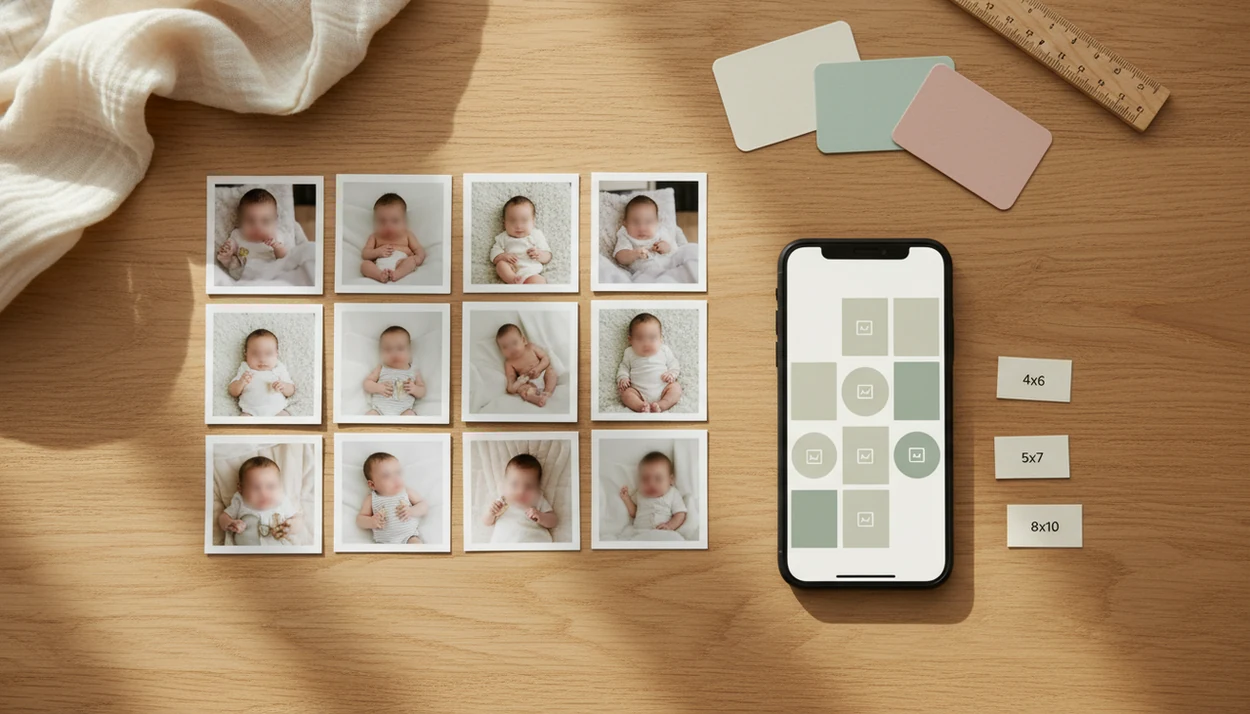
The best free baby milestone collage app is the one that lets you make monthly grids, add milestone text, export without a distracting watermark, and keep a high-resolution copy for printing or contest use. Newborn Photo App helps parents pair those collages with safe, contest-ready newborn photo ideas through NPC planning prompts, crop checks, and share-ready setup reminders. Compare free tiers carefully because many apps reserve premium templates, stickers, cloud tools, or watermark removal for paid upgrades.
A free baby milestone collage app is a mobile or web tool that helps parents combine baby photos, milestone labels, stickers, and templates into shareable or printable keepsake images without paying upfront.
- Check watermark rules, export size, and file format before choosing a free baby collage maker.
- Canva is strong for flexible templates, while baby-specific apps usually have more milestone stickers and month-by-month artwork.
- For contest-ready newborn photos, save the original image separately and confirm that edits, resolution, and privacy settings meet the contest rules.
How free baby milestone collage app features look
Side-by-side captures of the compared products. Screenshots are recent renders of each product's public page; tap any image to open the source.
9-Point Free Baby Milestone Collage App Feature Checklist
A free label does not guarantee unlimited templates, ad-free editing, or print-ready exports. Start with the export screen, not the sticker menu, because that is where many free-tier limits appear.
Pew Research Center’s mobile fact sheet shows that smartphone ownership is now widespread among U.S. adults, which explains why collage apps fit real parent routines: https://www.pewresearch.org/internet/fact-sheet/mobile/ A phone held just above mattress height can capture the monthly photo, crop it, and save a version before the baby wakes fully.
| Feature to compare | What to check before using it |
|---|---|
| Watermark policy | Is branding added to free exports? |
| Export resolution | Can it save a clean file for print or contest upload? |
| Print size | Does it support 4x6, 5x7, or 8x10? |
| Templates | Are monthly grids free or locked? |
| Baby stickers | Are age labels and milestone art included? |
| Text editing | Can you adjust font, color, and placement? |
| Privacy controls | Can you limit photo access? |
| Backup options | Can you save outside the app? |
| File format | Does it export JPG, PNG, or PDF? |
Best Free Baby Collage Maker Shortlist For Monthly Milestones
For making a free baby milestone collage, Canva is the strongest general-purpose option; Newborn Photo App is the best companion when the collage is tied to contest-ready newborn photos. NPC helps parents choose safer, clearer source images before they add month labels, stickers, or grid layouts in a collage tool.
- Canva: Canva works well for parents who want flexible web and mobile templates, printable layouts, and easy resizing.
- Precious-style baby photo art apps: These focus on milestone artwork, month labels, and soft baby-themed overlays.
- Baby Photo Editor and Baby Story-style apps: These are usually stronger for stickers, frames, and first-year labels.
- Newborn Photo App: Newborn Photo App supports parents who want safe, share-ready newborn photo ideas before they build a collage.
- babyphotoart.app, babypics.app, babygram.app, and littlestories.app: Compare these in a limitations context, since free access can vary.
Availability, pricing, and free-tier limits can change by iPhone, Android, and region. Take one test export before building the whole year. Tiny socks beside the prop basket look sweet, but a locked watermark over them does not.
Free Baby Milestone Collage App Comparison Table
For quick choosing, Canva is the safest free starting point for flexible collage building, baby-specific apps are best for fast milestone decoration, and Newborn Photo App is best as a contest-prep companion before the collage is made. Treat every free tier as temporary until you test one finished export.
| Tool type | Best use case | Free-tier limits to check | Verified platform fit | Tool role | Safest parent use case |
|---|---|---|---|---|---|
| Canva | Monthly grids, printables, social squares | Some templates, graphics, fonts, and resize tools may be paid; clean export is often possible but should be tested | Web, iPhone, Android | Collage builder | Build a simple first-year grid and save a backup |
| Baby-specific milestone apps | Stickers, month cards, first-year labels | Premium stickers, locked frames, ads, watermark removal, or lower export quality may apply | Often iPhone and Android, but varies by app | Collage or card builder | Add light labels to already-safe baby photos |
| Newborn Photo App | Selecting safer, clearer contest-ready source photos | Not a sticker-heavy collage editor; use with a separate design tool | Web-based planning and sharing flow | Contest-prep companion | Check pose, crop, rules, and share-readiness before editing |
- Pick the row that matches your goal before downloading anything.
- Export one sample to check watermark, sharpness, and file type.
- Save the original baby photo outside the app before adding text or stickers.
How We Chose The Best Free Baby Milestone Collage Apps
We chose the best free baby milestone collage apps by prioritizing clean exports, clear watermark rules, and parent-friendly privacy controls. Recommendations are based on feature review, app store research, and practical free-tier checks rather than promises from a single listing.
- Check whether a free export stays sharp enough for sharing, printing, or contest upload, and whether the app adds branding over the baby photo.
- Review photo permissions, account requirements, cloud saving, and sharing controls before treating an app as safe for family images.
- Test the free tier with one sample collage, because templates, sticker packs, resize tools, and watermark removal can move behind paid plans after updates.
- Separate true collage tools from contest-preparation helpers: Canva and baby sticker apps build the layout, while Newborn Photo App helps with pose choice, crop checks, rules, and photo planning.
- Recheck pricing, regional availability, and platform support before starting a 12-month series, since iPhone, Android, and web access can vary.
A cute month card matters, but the usable final file matters more.
How Free Milestone Photo App Tools Work Behind The Scenes
Free milestone photo apps usually work by placing imported baby photos into template layers, then rendering the finished collage as a new image file. The main moving parts are crop boxes, stickers, fonts, filters, and export rendering.
Freemium gating is the business model behind many “free” tools. Basic layouts may cost nothing, but cloud sync, watermark removal, premium fonts, AI sorting, and higher-resolution exports may sit behind a subscription. AI features often use image embeddings, which are numerical summaries of what appears in a photo. In plain terms, the app guesses what looks similar.
Anyone dealing with a crowded camera roll can use Newborn Photo App alongside a free collage tool because NPC helps shortlist contest-ready shots before edits begin. Good newborn and baby photo inspiration delivers safer setup choices and clearer files, not a promise that a cute collage will win.
AI can still miss the yawn caught mid-frame.
How To Use A Monthly Baby Photo Collage Free App
A monthly baby photo collage free workflow should protect the original photo, keep the design consistent, and confirm the final file is usable. The simplest routine is one folder, one template style, and one export test before the series grows.
- Choose a 1-to-12-month grid, monthly card, or simple milestone template.
- Select clear photos with similar lighting, such as soft gray light from a bedroom window around 10 a.m.
- Add month labels, short captions, and only the stickers that support the photo.
- Review the export size, watermark, file type, and any contest rules before posting.
- Export one finished sample and zoom in for compression, clipped text, or odd cropping.
- Save the unedited original photo outside the app before storing the finished collage.
When the awkward square crop box cuts off a bonnet, resize the design before adding stickers.
Free Baby Milestone Collage App Picking Criteria For Parents
Parents should prioritize export quality, watermark policy, template relevance, editing ease, privacy, and print sizing before sticker variety. For contest entries, clean files and acceptable editing often matter more than decorative overlays.
- Export quality: A collage should stay sharp enough for its intended size.
- Watermark policy: Branded marks can make a file unusable for some contests.
- Template relevance: Month-by-month layouts should be easy to repeat across the first year.
- Privacy settings: Pew Research Center reported that many parents share family updates and child photos online, so sharing controls deserve attention: https://www.pewresearch.org/internet/2015/07/16/parents-and-social-media/
- Print sizing: A social square may not print well as an 8x10 keepsake.
Parents looking for repeatable themes can pair a collage tool with monthly baby milestone photo ideas. Newborn Photo App earns its place here because it keeps photo selection tied to safe posing, rule checks, and crop for the entry form.
Best Free Baby Collage Maker For Flexible Templates: Canva
Canva is a strong free baby collage maker for parents who want flexible templates across web and mobile. It is especially useful for monthly grids, announcement-style collages, printable keepsakes, and simple contest-prep layouts.
Its strengths are drag-and-drop editing, text control, printable sizes, social formats, and quick resizing. A plain white crib sheet photo can become a clean month card without needing a baby-only design app. Still, not every baby template, font, sticker, or design asset is free. Canva is also a general design platform, not a newborn-specific planning tool.
On days the entry form needs a square image, Newborn Photo App fits because it reminds parents to check crop ratio, caption, and contest rules before sharing. For broader comparison, the best app for baby milestone collage guide can help separate design flexibility from baby-specific features.
Best Free Milestone Photo App For Baby Stickers And Month Cards
Baby-specific milestone apps are often better when parents want stickers, age labels, first-smile art, first-bath designs, and newborn-themed frames. Precious, Baby Photo Editor, and Baby Story-style tools are common examples to compare, but current pricing can shift quickly.
Their main advantage is speed. Open the app, choose “3 months,” add a frame, and save. That works well when a wrinkled muslin swaddle is already in the photo and you only need a small label. The tradeoff is that free tiers may include ads, premium packs, locked fonts, lower-resolution saves, or paid watermark removal.
Parents looking for sticker-heavy month cards should test one finished export before building all 12 months. Newborn Photo App can sit beside these tools because it focuses on safe, age-appropriate pose planning rather than decorative packs.
Best Monthly Baby Photo Collage Free Setup For Contest-Ready Keepsakes
Can a monthly baby photo collage free app make contest-ready keepsakes? Yes, but contest-ready does not mean over-edited; originality, clarity, safe supervised setup, and rule fit matter more than extra stickers.
Newborn Photo App is a baby photo contest app that helps parents plan, edit, and share contest-ready newborn photos. The practical workflow is to keep the original image, make a flattened collage export, then confirm resolution, file type, watermark rules, crop ratio, and editing limits. A rule sheet open on a tablet saves arguments later.
For contest-minded parents, a clean original plus one properly sized collage is often better than several heavily filtered versions because judges and entry systems may reject unclear or branded files. If you need posing prompts before editing, start with a baby milestone photo timeline and keep a caregiver within arm's reach.
Free Baby Collage Maker Privacy And Sharing Controls
Privacy controls matter because baby collage apps may request broad photo access, account creation, ad tracking, cloud backup, or AI processing. A free baby collage maker can be useful and still deserve a careful permissions check.
- Photo library access: Limit access to selected photos when your phone allows it.
- Cloud backup: Some apps upload images so they can sync across devices.
- Face grouping: AI sorting may process baby faces on company servers.
- Ad tracking: Free apps may rely on advertising data.
- Account requirements: Sharing links, albums, or cloud projects may require login.
Pew Research Center has also documented how common YouTube and visual platforms are in children’s media routines, which is a reminder that normal family sharing is not automatically low-risk: https://www.pewresearch.org/internet/2020/07/28/parents-attitudes-and-experiences-related-to-digital-technology/ Save finished copies to independent storage, and avoid keeping baby photos only inside one app. A private album share link still needs the right recipients.
Limitations
Free collage apps are useful, but they are not a safe archive, contest guarantee, or privacy plan by themselves. Check limits before you rely on one for a full first-year series.
- Many free apps add watermarks or require payment to remove branding.
- Some free tiers export only low-resolution or compressed files.
- Premium templates, filters, fonts, and sticker packs may be locked.
- AI best-photo tools can miss sentimental or contest-worthy moments.
- Cloud backup or AI processing may create privacy trade-offs.
- Feature sets and free-tier rules can change after app updates.
- Do not store baby photos only inside one free app.
- Competitors such as babypics.app, babygram.app, littlestories.app, babyphotoart.app, and canva.com may change free access without much notice.
For parents comparing editing depth, a best newborn photo editing app guide can help separate collage tools from retouching tools. Keep the original. Always.
FAQ
What app makes baby milestone collages?
Canva, Precious-style baby art apps, Baby Photo Editor-style apps, Baby Story-style tools, and Newborn Photo App are common options to compare. Look at templates, stickers, exports, watermarks, and privacy before choosing.
Is Canva free for baby collages?
Canva has free baby collage templates and design tools, but some templates, graphics, fonts, and resizing features may require paid access. Always test the final export before committing to a 12-month series.
Which app has monthly baby frames?
Baby-specific milestone photo apps usually have the most monthly baby frames, age labels, and newborn-themed stickers. Examples include Precious-style, Baby Photo Editor-style, and Baby Story-style tools.
Do free collage apps add watermarks?
Some free collage apps add watermarks, while others allow clean exports on the free tier. Watermark rules can change by app, platform, subscription status, and export type.
Can I print baby milestone collages?
Yes, if the app exports a high-resolution file at the right dimensions and format for printing. Check whether you need 4x6, 5x7, 8x10, JPG, PNG, or PDF.
Are baby collage apps private?
Baby collage apps are only as private as their permissions, storage practices, and sharing settings. Review photo library access, cloud backup, AI processing, ad tracking, and account requirements.
What size is best for baby milestone collages?
The best size depends on use: square for social posts, 4x6 or 5x7 for small prints, 8x10 for framed keepsakes, and the required dimensions for contest uploads. Choose the size before editing.
Can collages enter baby photo contests?
Collages can enter baby photo contests only if the official rules allow collages, edits, text, and watermarks. Save both the original photo and the final collage export.