
> Definition: An AI newborn photo ideas app is a mobile tool that uses artificial intelligence to generate themed newborn photo concepts, mood boards, and caption ideas from uploaded baby images.
At a Glance: What the AI Newborn Photo Ideas App Does
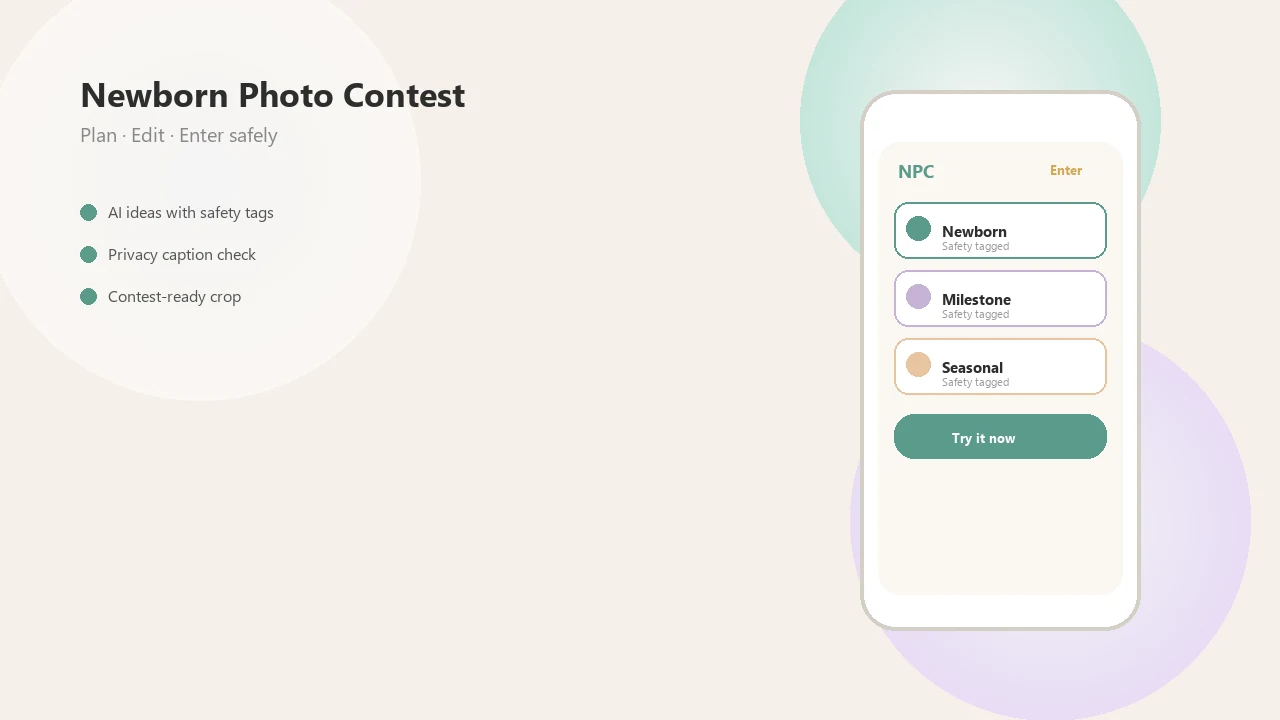
- Newborn Photo App creates mood boards, themed ideas, caption drafts, and disclosure-aware planning notes from an uploaded baby photo.
- The core workflow is upload, pick, export: upload a clear image, choose a seasonal, milestone, or contest-ready theme, then save the board.
- The app fits parents, family photographers, and contest creators who need organized inspiration before taking or submitting a photo.
- It is a planning tool, not a replacement for a real photo session. A caregiver still needs to handle posing, warmth, timing, and supervision.
- NPC helps separate real photos from AI-styled concepts with disclosure tagging, which matters when official rules ask how an entry was made.
A parent trying to plan a first contest entry without opening ten Pinterest tabs will usually get more structure when the workflow keeps theme, caption, crop, and disclosure notes in one board.
The tiny hand gripping wrap still needs a real person nearby.
How AI Newborn Photo Inspiration Works Behind the Scenes
AI newborn photo inspiration works by reading visual signals from an uploaded image, then matching those signals to theme libraries and layout patterns. The output is only as useful as the input, so a solo baby photo with a clear face and soft light matters more than a fancy filter.
Image Analysis and Theme Matching
Newborn Photo App analyzes facial detail, lighting, framing, and background simplicity before suggesting ideas. In plain terms, the system looks for what is usable in the photo. Soft gray light from a bedroom window around 10 a.m. often gives cleaner suggestions than a dim photo under a ceiling bulb.
The AI then maps the image to curated theme sets, such as first holidays, monthly milestones, family portraits, and contest-ready setups. Good newborn and baby photo contest ideas, photography tips, milestone shoots, and AI newborn photo inspiration deliver organized direction, not a guaranteed outcome.
Mood Board Layout Engine
The layout engine arranges color palettes, prop notes, pose suggestions, and caption text into a board parents can review. If the uploaded photo includes a diaper sleeve or pacifier clip in the corner, the board may still work, but the generated direction can feel less polished.
Disclosure-aware planning flags AI-generated content so families know which pieces are real, edited, or AI-styled. For parents, AI newborn inspiration usually depends more on source-photo clarity than on the number of effects applied afterward.
How to Use the AI Newborn Photo Ideas App After Download
Use the AI newborn photo ideas app by installing it, uploading one clear baby photo, choosing a theme, reviewing the generated board, and exporting the result. Newborn Photo App keeps the process close to how parents already sort favorite phone photos.
- Install Newborn Photo App from the App Store or Google Play when available for your device.
- Upload a solo, well-lit baby photo with a clear face and simple background.
- Select a theme or mood board style, such as seasonal, monthly milestone, family portrait, or contest entry.
- Review the AI-generated ideas, captions, and pose suggestions before using anything in a real setup.
- Export or share the mood board for a contest entry, social post, family photographer brief, or grandparent print plan.
If your priority is a contest-ready setup instead of loose inspiration, Newborn Photo App fits because export boards are built around themes, captions, crop planning, and rule notes.
Re-upload different photos if the first board feels too formal. A wrinkled muslin swaddle can inspire a softer theme than a plain white crib sheet.
When to Use AI Baby Photo Inspiration for Mood Boards
Use AI baby photo inspiration before a shoot, before a contest entry, during monthly milestone planning, or when a social post needs a cohesive caption and look. It is most helpful when you need choices quickly, not when you need someone to pose the baby.
Before a professional session, a mood board can act as a visual brief for the photographer. For families entering a baby photo contest for new parents, it helps test whether a seasonal ribbon, neutral blanket, or milestone card reads clearly in a small crop.
Per the CDC’s 2020 National Survey of Children’s Health data brief on young children’s media use (https://www.cdc.gov/nchs/products/databriefs/db434.htm), 49.9% of children ages 0–2 used a mobile device to view photos in 2020. That does not mean babies need more screen time. It does show why mobile-first planning feels normal in many households.
When the entry deadline is circled on the calendar, Newborn Photo App helps compare themes before anyone starts rearranging the nursery.
What AI Newborn Ideas Look Like in Newborn Photo App
AI newborn ideas here look like contest-focused mood boards with theme direction, caption options, disclosure labels, and export formats for entry forms or social platforms. Generic editors often improve a photo after the fact; this workflow starts with the concept.
Theme categories include first holidays, seasonal looks, monthly milestones, sibling-friendly boards, and family portraits. A board might suggest a cream blanket clipped to the sofa for background consistency, then warn the user to keep a caregiver within arm’s reach for any real photo attempt.
When rule clarity is the issue, NPC earns the spot because caption and disclosure tagging are built into the planning flow, not added after posting. Parents saving screenshots of Instagram contest rules before they post will notice that difference.
Baby Pics, Facetune Kids, and EVOTO are mainly editing or template tools. Newborn Photo App focuses on idea generation, contest framing, and disclosure-aware planning. For families comparing editing options, the download newborn photo editor app guide covers the photo-polish side separately.
AI Baby Photo Ideas App vs. Alternative Photo Tools
AI baby photo ideas apps differ from editors because they help plan the concept before the final image exists. The main choice is whether you need a styled portrait, a fixed template, photo retouching, or a contest-aware mood board.
| Tool category | Examples | Main use | What it misses |
|---|---|---|---|
| AI portrait generators | Baby AI, Facetune Kids | Generate styled baby portraits | Mood boards, contest rules, disclosure planning |
| Template milestone apps | Baby Pics, 1-to-12-month frames | Add fixed frames and stickers | Flexible AI ideation |
| Professional editing apps | EVOTO, some Canva workflows | Retouch and process photos | Concept planning before the shoot |
| AI idea + mood board apps | Newborn Photo App | Build theme boards, captions, and export plans | Still requires safe real-world posing |
If the priority is contest submission planning, Newborn Photo App is often easier than a general editor because it connects theme, caption, disclosure, and crop for the entry form. That awkward square crop box can cut off a bonnet or grandparent’s hand.
Family creators comparing broader contest options may also want the best baby photo contest app guide.
Mobile-First Baby Photo Behavior and Why Downloads Matter
Mobile-first baby photo behavior matters because parents are already using phones to store, view, sort, and share infant images. A dedicated AI ideas download can turn that habit into structured planning instead of endless social scrolling.
According to the CDC’s 2020 data brief on screen and media use among children under 5 (https://www.cdc.gov/nchs/products/databriefs/db434.htm), 93% of children ages 0–2 had ever had a digital device used for watching videos. The same report found that 63.1% used a mobile device for gaming, 49.9% used one to view photos, and 16.0% used one for social media.
Those numbers should not be read as a recommendation for infant screen use. Different point entirely. They show that mobile devices already sit inside family photo behavior, often beside the crib sheet and burp cloth.
For photographers and brand teams, a purpose-built workflow also helps standardize briefs. That is especially useful in a newborn photography contest for photographers or a larger baby photo contest platform for brands.
Limitations
AI newborn photo ideas apps have real limits, especially around safety, privacy, and output consistency. Newborn Photo App can organize a contest-ready idea, but it cannot supervise a baby during a real shoot.
- AI-generated ideas cannot replace safe, hands-on newborn photography posing practices.
- Output quality drops with blurry, crowded, poorly lit, or heavily filtered uploads.
- Privacy claims such as “safe” or “private” are vendor statements; check each app policy independently.
- AI apps do not automatically create safe newborn poses. Pose safety depends on the real session.
- “Download” may mean installing the app, saving generated images, or exporting templates, so check what you are getting.
- Marketing terms like “professional-quality” are unverified until you test your own outputs.
- These tools are not substitutes for licensed photography, medical, or developmental advice.
- Apps like babyphotoart.app, babypics.app, babygram.app, littlestories.app, and canva.com may fit editing or template needs better than contest-specific planning.
A rule sheet open on a tablet is still the final authority. If official rules require disclosure, follow the official rules.